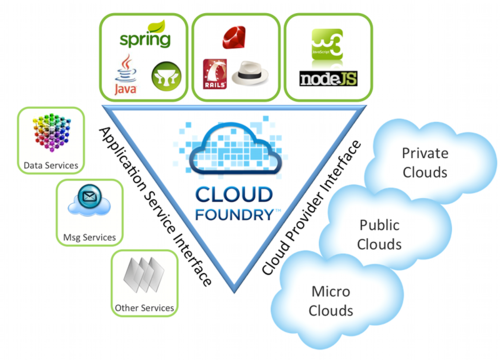
Vmware Cloud Foundry – The industry’s first open platform as a Service

The goal of Cloud Foundry is to hide complexity from developers and make it easy to deploy and run applications anywhere. This is the same marketing speak that folks toting the cloud have pitched for years, but VMware wants to make it even more simple. Instead of worrying about instances or how to support a database, you just write a few lines of code, and Cloud Foundry makes it all happen for you…………

For more information, see

  1. VMware Launches Open-Source Cloud
  2. Cloud Foundry

Compiling BLACS on CentOS 5

1. You have to compile OpenMPI 1.4.x with g77 and gfortran. I’m compiling with OpenIB and Torque as well

./configure --prefix=/usr/local/mpi/gnu-g77/ \
F77=g77 FC=gfortran \
--with-openib \
--with-openib-libdir=/usr/lib64 \
--with-tm=/opt/torque

2. Download BLACS from www.netlib.org/blacs. Remember to download both mpiblacs.tgz and the mpiblacs-patch03.tgz

# cd /root
# tar -xzvf mpiblacs.tgz
# tar -xzvf mpiblacs-patch03.tgz
# cd BLACS
# cp ./BMAKES/BMake.MPI-LINUX Bmake.inc

3. Edit Bmake.inc according to the recommendation from OpenMPI FAQ

# Section 1:
# Ensure to use MPI for the communication layer

   COMMLIB = MPI

# The MPIINCdir macro is used to link in mpif.h and
# must contain the location of Open MPI's mpif.h. 
# The MPILIBdir and MPILIB macros are irrelevant
# and should be left empty.

   MPIdir = /path/to/openmpi-1.4.3
   MPILIBdir =
   MPIINCdir = $(MPIdir)/include
   MPILIB =

# Section 2:
# Set these values:

   SYSINC =
   INTFACE = -Df77IsF2C
   SENDIS =
   BUFF =
   TRANSCOMM = -DUseMpi2
   WHATMPI =
   SYSERRORS =

# Section 3:
# You may need to specify the full path to
# mpif77 / mpicc if they aren't already in
# your path. IF not type the whole path out.

   F77            = /usr/local/mpi/gnu-g77/bin/mpif77
   F77LOADFLAGS   =

   CC             = /usr/local/mpi/gnu-g77/bin/mpicc
   CCLOADFLAGS    =

4. Following the recommendation from BlACS Errata (Necessary flags for compiling the BLACS tester with g77)

blacstest.o : blacstest.f
	$(F77) $(F77NO_OPTFLAGS) -c $*.f
to:
blacstest.o : blacstest.f
	$(F77) $(F77NO_OPTFLAGS) -fno-globals -fno-f90 -fugly-complex -w -c $*.f

5. Compile the Blacs tests. You should see

# cd /root/BLACS/TESTING
# make clean
# make

You should see xCbtest_MPI-LINUX-1 and xFbtest_MPI-LINUX-1

6. Tun the Tests

# mpirun -np 5 xCbtest_MPI-LINUX-0
# mpirun -np 5 xFbtest_MPI-LINUX-0

7. If the test is successful, you may wish to copy the BLACS library to /usr/local/lib. But I like to  separate my compiled libraries separately to /usr/local/blacs/lib

# cp /root/BLACS/LIB*.a /usr/local/blacs/lib
# chmod 555 /usr/local/blacs/lib/*.a

Compiling LAPACK on CentOS 5

Download the lapack latest stable version (lapack-3.3.0.tgz) from http://www.netlib.org/lapack

# cd /root
# tar -xzvf lapack-3.3.0.tgz
# cd /root/lapack-3.3.0
# cp make.inc.example make.inc

Assuming Edit make.inc. Assuming the Compiling ATLAS on CentOS 5

#BLASLIB = ../../blas$(PLAT).a
BLASLIB = /usr/local/atlas/lib/libf77blas.a /usr/local/atlas/lib/libatlas.a

Compile lapack package

# make

Copy the libraries to

# mkdir /usr/local/lapack/lib
# cp /root/lapack-3.3.0/*.a /usr/local/lapack/lib
# cd /usr/local/lapack/lib/
# chmod 555 *.a

Other related Information

  1. Compiling ATLAS on CentOS 5

Compiling ATLAS on CentOS 5

This tutorial is to help you compile ATLAS (Automatically Tuned Linear Algebra Software) with gFortran. For those who are using Intel Compiler, you have the reliable Intel MKL (Math Kernel Library)

First thing first, some comparison between ATLAS and MKL.

ATLAS

ATLAS The Automatically Tuned Linear Algebra Software (ATLAS) provides a complete implementation of the BLAS API 3 and a subset of LAPACK 3. A big number of instructions-set specific optimizations are used throughout the library to achieve peak-performance on a wide variety of HW-platforms.

ATLAS provides both C and Fortran interfaces.

ATLAS is available for all HW-platforms capable of running UNIX or UNIX-like operating systems as well as Windows ™.

MKL

Intel’s Math Kernel Library (MKL) implements a set of linear algebra, fast Fourier transforms and vector math functions. It includes LAPACK 3, BLAS 3 and extended BLAS and provides both C and Fortran interfaces.

MKL is available for Windows ™ and Linux (x86/i686 and above) only.

Download the latest stable package from ATLAS (http://sourceforge.net/projects/math-atlas/files/Stable/). The current stable version is atlas3.8.0.tar.gz. Do note that ATLAS don’t like configuration on its original location, hence the need to create ATLAS_BUILD directory.

# cd /root
# tar -xzvf atlas3.8.3.tar.gz
# mkdir /root/ATLAS_BUILD
# cd /root/ATLAS_BUILD
# /root/ATLAS/configure

You will need to turn off CPU Throttling. For CentOS and Fedora, you will use

# /usr/bin/cpufreq-selector -g performance

For more information, you can see my blog entry Switching off CPU Throttling on CentOS or Fedora

Compile ATLAS

make
make check
make ptcheck
make time
make install

By default, ATLAS installed to /usr/local/atlas

Finally remember to add /usr/local/atlas/lib to your LD_LIBRARY_PATH

Notes:

    1. Linux Cluster Application Site
    2. ScaLAPACK, LAPACK, BLACS and ATLAS on OpenMPI & Linux installation tutorial

    Installing Gromacs 4.0.7 on CentOS 5


    GROMACS is a versatile package to perform molecular dynamics, i.e. simulate the Newtonian equations of motion for systems with hundreds to millions of particles.
    It is primarily designed for biochemical molecules like proteins, lipids and nucleic acids that have a lot of complicated bonded interactions, but since GROMACS is extremely fast at calculating the nonbonded interactions (that usually dominate simulations) many groups are also using it for research on non-biological systems, e.g. polymers

    Do note that this Gromacs Installation Guide is for Gromacs 4.0.x. For detailed instruction, see GROMACS Installation Instructions. For installation of FFTW, you may want to take a look at Blogh Entry Installing FFTW

    Since I’m using FFTWMPI (OpenMPI to be exact) and configure FFTW with –prefix=/usr/local/fftw,

    I’ve configured the following

    # ./configure CPPFLAGS="-I/usr/local/fftw/include" LDFLAGS="-L/usr/local/fftw/lib" \
    --with-fft=fftw3 --enable-mpi --disable-float

    Some notes…… (Assuming you are using bash)

    1. CPPFLAGS=”-I/usr/local/fftw/include”
    2. LDFLAGS=”-L/usr/local/fftw/lib”
    3. To compile with FFTW version 3 “–with-fft=fftw3”
    4. To enable MPI “–enable-mpi”
    5. To select Double precision  “–disable-float”
    # make -j 8

    where 8 is the number of cores.

    # make mdrun

    * if you have configure with “–enable-mpi”

    # make install

    * Install all the binaries, libraries and shared data files with:

    # make install-mdrun

    * If you only want to build the mdrun executable (in the case of an MPI build),

    # make links

    * If you want to create links in /usr/local/bin to the installed GROMACS executables

    Installing check_mk for Nagios on CentOS 5

    check_mk is a wonderful “a new general purpose Nagios-plugin for retrieving data”. But this wonder plugins is a good replacement for NRPE, NSClients++ etc. I’ve tried using check_mk in place of NSClient++ to monitor my Windows Machines successfully

    Installing Nagios is straightforward. You may want to see Blog Entry Using Nagios 2.x/3.x on CentOS. In a nutshell, do this in sequence to avoid dependency issues

    # yum install nagios nagios-devel
    # yum install nagios-plugins-all

    Downloading and unpacking check_mk

    # wget http://mathias-kettner.de/download/check_mk-1.1.8.tar.gz
    # tar -zxvf check_mk-1.1.8.tar.gz
    # cd check_mk-1.1.8
    # ./setup.sh --yes

    Restart the Service

    # service nagios restart
    # service apache restart

    Making the agent accessible through xinetd

    # cp -p /usr/share/check_mk/agents/check_mk_agent.linux /usr/bin/check_mk_agent
    # cp -p /usr/share/check_mk/agents/xinetd.conf /etc/xinetd.d/check_mk

    Restart xinetd service.

    # service xinetd restart

    For more information on check_mk on Debian Derivative, do look at the excellent writup “HOWTO: How to install Nagios with check_mk, PNP and NagVis

    Testing the Infiniband Interconnect Performance with Intel MPI Benchmark (Part II)

    This is a continuation of the article Testing the Infiniband Interconnect Performance with Intel MPI Benchmark (Part I)

    B. Running IMB

    After “make” the executable has been located. Run IMB_MPI1 pingpong from management node or head node. Ensure the IMB-MPT1 is on the directory.

    # cd /home/hpc/imb/src
    # mpirun -np 16 -host node1,node2 /home/hpc/imb/src/IMB-MPI1 pingpong
    # mpirun -np 16 -host node1,node2 /home/hpc/imb/src/IMB-MPI1 sendrecv
    # mpirun -np 16 -host node1,node2 /home/hpc/imb/src/IMB-MPI1 exchange

    Example of output from “pingpong”

    benchmarks to run pingpong
    #---------------------------------------------------
    #    Intel (R) MPI Benchmark Suite V3.2.2, MPI-1 part
    #---------------------------------------------------
    # Date                  : Mon Feb  7 10:42:48 2011
    # Machine               : x86_64
    # System                : Linux
    # Release               : 2.6.18-164.el5
    # Version               : #1 SMP Thu Sep 3 03:28:30 EDT 2009
    # MPI Version           : 2.1
    # MPI Thread Environment: MPI_THREAD_SINGLE
    
    # New default behavior from Version 3.2 on:
    
    # the number of iterations per message size is cut down
    # dynamically when a certain run time (per message size sample)
    # is expected to be exceeded. Time limit is defined by variable
    # "SECS_PER_SAMPLE" (=> IMB_settings.h)
    # or through the flag => -time
    
    # Calling sequence was:
    
    # /home/shared-rpm/imb/src/IMB-MPI1 pingpong
    
    # Minimum message length in bytes:   0
    # Maximum message length in bytes:   4194304
    #
    # MPI_Datatype                   :   MPI_BYTE
    # MPI_Datatype for reductions    :   MPI_FLOAT
    # MPI_Op                         :   MPI_SUM
    #
    #
    
    # List of Benchmarks to run:
    
    # PingPong
    
    #---------------------------------------------------
    # Benchmarking PingPong
    # #processes = 2
    # ( 46 additional processes waiting in MPI_Barrier)
    #---------------------------------------------------
    #bytes #repetitions      t[usec]   Mbytes/sec
    0         1000         8.74         0.00
    1         1000         8.82         0.11
    2         1000         8.83         0.22
    4         1000         8.89         0.43
    8         1000         8.90         0.86
    16         1000         8.99         1.70
    32         1000         9.00         3.39
    64         1000        10.32         5.91
    128         1000        10.52        11.60
    256         1000        11.24        21.72
    512         1000        12.12        40.30
    1024         1000        13.76        70.98
    2048         1000        15.55       125.59
    4096         1000        17.81       219.35
    8192         1000        22.47       347.67
    16384         1000        45.24       345.41
    32768         1000        59.83       522.29
    65536          640        87.68       712.85
    131072          320       154.80       807.47
    262144          160       312.87       799.05
    524288           80       556.20       898.96
    1048576           40      1078.94       926.84
    2097152           20      2151.90       929.41
    4194304           10      4256.70       939.69
    
    # All processes entering MPI_Finalize

    If you wish to use the torque to run the IMB, do read the IBM “Setting up an HPC cluster with Red Hat Enterprise Linux