
If you are planning to use ansible to install mlnx_ofed Packages to the compute nodes which have IB or RoCE Ethernet Card. The comprehensive documentation can be found at Installing Mellanox OFED
Step 1: Download Mellanox OFED Drivers
Download the .tar.gz file from Nvidia Networking Ethernet Download site
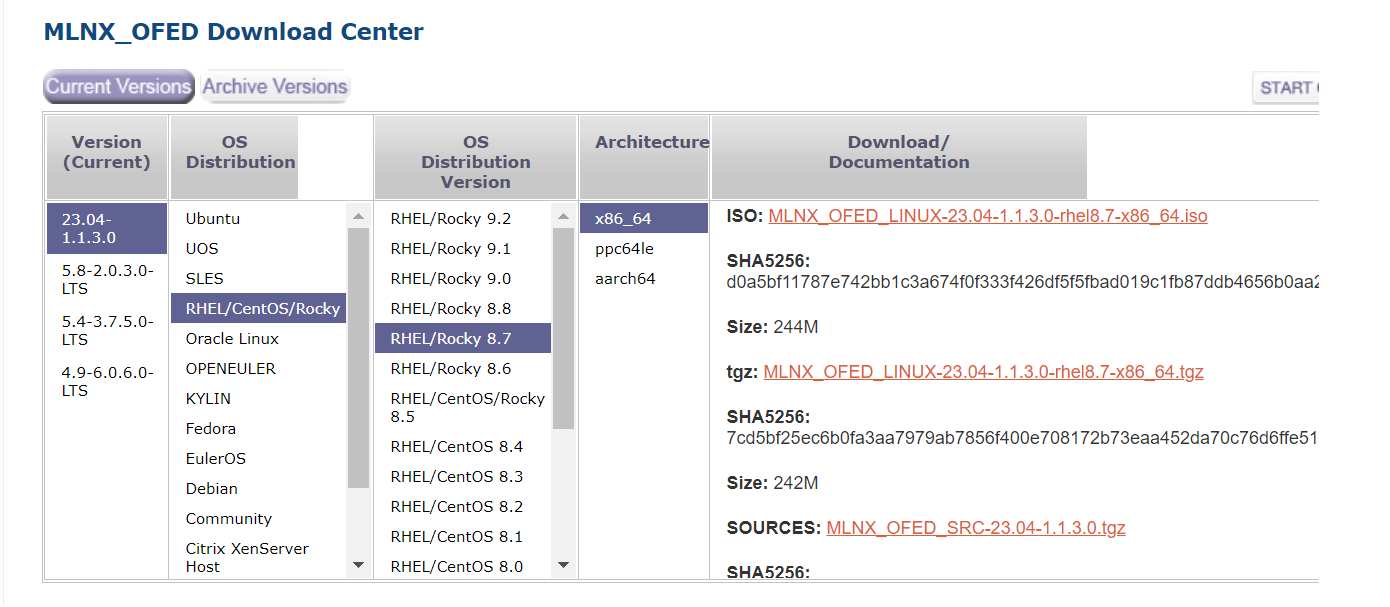
Step 2: Untar the mlnx_ofed packages on the Shared drive.
Supposedly, the Cluster is sharing the /usr/local/ within the cluster.
# mkdir /usr/local/mlnx_ofed
# cp MLNX_OFED_LINUX-23.04-1.1.3.0-rhel8.7-x86_64.tgz /usr/local/mlnx_ofed
# cd /usr/local/mlnx_ofed
# tar -zxvf MLNX_OFED_LINUX-23.04-1.1.3.0-rhel8.7-x86_64.tgz
# cd MLNX_OFED_LINUX-23.04-1.1.3.0-rhel8.7-x86_64
Step 3: Create a Template mlnx_ofed.repo.j2 and update the content
[mlnx_ofed]
name=MLNX_OFED Repository
baseurl=file:///usr/local/mlnx_ofed/MLNX_OFED_LINUX-23.04-1.1.3.0-rhel8.7-x86_64/RPMS
enabled=1
gpgkey=file:///usr/local/mlnx_ofed/MLNX_OFED_LINUX-23.04-1.1.3.0-rhel8.7-x86_64/RPM-GPG-KEY-Mellanox
gpgcheck=1
Step 4: Create a Playbook for updating the drivers
- name: Generate /etc/yum.repos.d/mlnx_ofed.repo
  template:
      src: ../templates/mlnx_ofed.repo.j2
      dest: /etc/yum.repos.d/mlnx_ofed.repo
      owner: root
      group: root
      mode: 0644
  become: true
  when:
    - ansible_os_family == "RedHat"
    - ansible_distribution_major_version == "8"
    - ansible_distribution_version == "8.7"


- name: Install mlnx-ofed-all
  dnf:
      name:
        - mlnx-ofed-all
      state: latest
  when:
    - ansible_os_family == "RedHat"
    - ansible_distribution_major_version == "8"
    - ansible_distribution_version == "8.7"
  register: install_mlnx
Step 5: Reboot if there are changes to MLNX-OFED
- name: Reboot if there are changes to MLNX-OFED
  ansible.builtin.reboot:
  when:
    - install_mlnx.changed
    - ansible_os_family == "RedHat"
    - ansible_distribution_major_version == "8"
    - ansible_distribution_version == "8.7"

- name: Modprobe rdma_cm ib_umad
  ansible.builtin.shell: "modprobe rdma_cm ib_umad"
  when: install_mlnx.changed
References:
 The Linux Cluster