Displaying the Number of Cores and Current Load average for All Nodes

If you wish to use Ansible to display the number of cores and current Load average for all your nodes, you may want to consider the code below.

- name: Display number of cores
  debug:
    var: ansible_processor_cores

- name: Get Load Average
  ansible.builtin.shell: "cat /proc/loadavg"
  register: load_avg_output
  changed_when: false

- name: Print Load Average for all Nodes
  debug:
    msg: "Load Average: {{ load_avg_output.stdout }}"

Updating /etc/resolv.conf using Ansible for Rocky Linux 8

You may want to check the whether /etc/resolv.conf exists and if not exist, create the file file and update the DNS

- name: Check if resolv.conf file exists
  stat:
      path: /etc/resolv.conf
  register: file_info

- name: Create /etc/resolv.conf if it exists
  file:
     path: /etc/resolv.conf
     state: touch
  when: not file_info.stat.exists

- name: Set DNS nameservers in /etc/resolv.conf
  blockinfile:
      path: /etc/resolv.conf
      block: |
            search example.com
            nameserver x.x.x.x
            nameserver w.w.w.w
  when: ansible_distribution == "Rocky"

Enable PowerTools Repository Using Ansible

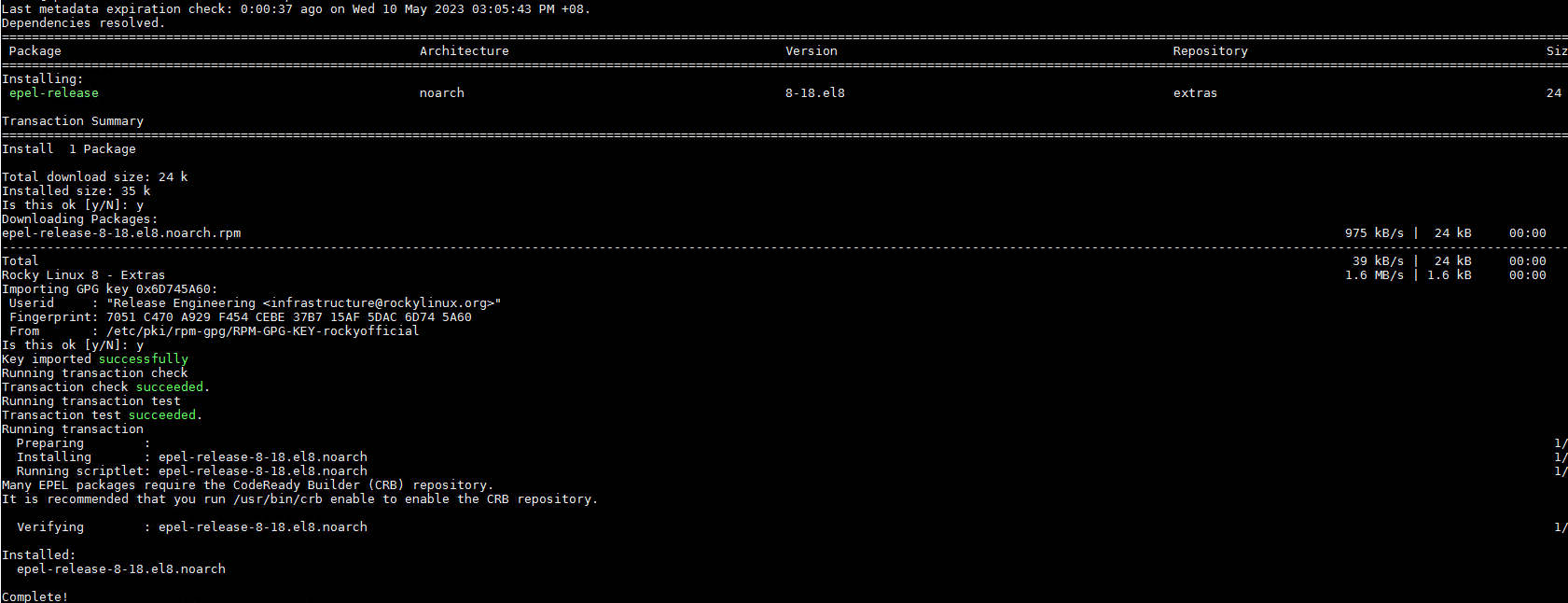
If you wish to use Ansible to fix Unable to Install hdf5, hdf5-devel and hdf5-static on Rocky Linux 8.7 by installing DNG-Plugin-Core, EPEL-Release for Rocky Linux, do take a look

 - name: Install DNF-Plugin-Core and EPEL-Release for Rocky
    dnf:
        name: 
           - dnf-plugins-core 
           - epel-release  
        state: latest      
    when: ansible_distribution == "Rocky"

  - name: Enable powertools repository
    command: dnf config-manager --set-enabled powertools
    when: ansible_distribution == "Rocky"
    changed_when: false

Unable to Install hdf5, hdf5-devel and hdf5-static on Rocky Linux 8.7

If you are doing a dnf install on hdf5 packages, you will notice errors like the one below

nothing provides libsz.so.2()(64bit) needed by hdf5-1.10.5-4.el8.x86_64
(try to add '--skip-broken' to skip uninstallable packages or '--nobest' to use not only best candidate packages)

To resolve the issue, you will need to install and enable PowerTools

Step 1: Install DNF plugins package

dnf install dnf-plugins-core

Step 2: Install EPEL

The reason is that some software from its source code requires some dependencies that are available in EPEL

dnf install epel-release

Step 3: Enable PowerTools repository on Rocky Linux 8

dnf config-manager --set-enabled powertools

Step 4: Now try installing HDF5

dnf install hdf5 hdf5-devel hdf5-static

Starting Commands for Ansible

Number 1: Preparing Ansible.cfg

ansible.cfg is used to customize the behavior of Ansible and define various settings and options for managing infrastructure and deploying applications. Inside you ansible_cluster. Create an ansible.cfg

[defaults]
inventory = inventory
private_key_file = ~/.ssh/id_rsa
become = true
become_user = root

Number 2: To Test the Connection with Nodes via SSH

[root@h001 ansible_cluster]# ansible all -m ping
192.168.200.161 | SUCCESS => {
    "ansible_facts": {
        "discovered_interpreter_python": "/usr/libexec/platform-python"
    },
    "changed": false,
    "ping": "pong"
}
192.168.200.160 | SUCCESS => {
    "ansible_facts": {
        "discovered_interpreter_python": "/usr/libexec/platform-python"
    },
    "changed": false,
    "ping": "pong"
}
192.168.200.162 | SUCCESS => {
    "ansible_facts": {
        "discovered_interpreter_python": "/usr/libexec/platform-python"
    },
    "changed": false,
    "ping": "pong"
}
192.168.200.163 | SUCCESS => {
    "ansible_facts": {
        "discovered_interpreter_python": "/usr/libexec/platform-python"
    },
    "changed": false,
    "ping": "pong"
}

Number 3: Listing Hosts

[root@h001 ansible_cluster]# ansible all --list-hosts
  hosts (4):
    192.168.200.160
    192.168.200.161
    192.168.200.162
    192.168.200.163

Number 4: Gather Facts about Hosts

Lots of information regarding the hosts….. If you want to limit to a single hosts, use the parameter “–limit”

[root@h001 ansible_cluster]# ansible all -m gather_facts --limit 192.168.200.161
192.168.200.161 | SUCCESS => {
    "ansible_facts": {
        "ansible_all_ipv4_addresses": [
            "192.168.200.161"
        ],
        "ansible_all_ipv6_addresses": [
            "fe80::5eed:8cff:fe80:aee3"
        ],
        "ansible_apparmor": {
            "status": "disabled"
        },
        "ansible_architecture": "x86_64",
        "ansible_bios_date": "02/02/2023",
        "ansible_bios_vendor": "HPE",
        "ansible_bios_version": "U46",
        "ansible_board_asset_tag": "NA",
        "ansible_board_name": "ProLiant DL360 Gen10 Plus",
...
...
...

Number 4a: Gather Facts about Hosts Distribution

[root@h001 ansible_cluster]# ansible all -m gather_facts --limit 192.168.200.161 |grep distribution
        "ansible_distribution": "Rocky",
        "ansible_distribution_file_parsed": true,
        "ansible_distribution_file_path": "/etc/redhat-release",
        "ansible_distribution_file_variety": "RedHat",
        "ansible_distribution_major_version": "8",
        "ansible_distribution_release": "Green Obsidian",
        "ansible_distribution_version": "8.7",

References:

  1. Learn Linux TV Chapter 4
  2. Ansible Quickstart
  3. Ansible CLI cheatsheet

Could not load the Qt platform plugin “xcb” in “” even though it was found for Rocky Linux 8

If you encounter this issue

qt.qpa.plugin: Could not load the Qt platform plugin "xcb" in "" even though it was found.This application failed to start because no Qt platform plugin could be initialized. Reinstalling the application may fix this problem.

Available platform plugins are: xcb.

You can resolve the issue by installing the xcb package

# dnf install xcb*
Last metadata expiration check: 1:39:51 ago on Tue 09 May 2023 11:47:04 AM +08.
Package xcb-util-0.4.0-10.el8.x86_64 is already installed.
Dependencies resolved.
====================================================================================================================================================================================================================
 Package                                                   Architecture                                 Version                                               Repository                                       Size
====================================================================================================================================================================================================================
Installing:
 xcb-util-image                                            x86_64                                       0.4.0-9.el8                                           appstream                                        20 k
 xcb-util-keysyms                                          x86_64                                       0.4.0-7.el8                                           appstream                                        15 k
 xcb-util-renderutil                                       x86_64                                       0.3.9-10.el8                                          appstream                                        18 k
 xcb-util-wm                                               x86_64                                       0.4.1-12.el8                                          appstream                                        31 k

Transaction Summary
====================================================================================================================================================================================================================
Install  4 Packages

Total download size: 83 k
Installed size: 134 k
Is this ok [y/N]: y

Setting up 2 Gateways with a Default Gateway for most Traffic and the 2nd Gateway for selected Subnet Traffic on Rocky Linux 8

Issues:

Suppose you have 2 network cards and their own gateway. The challenge is that you can only have 1 default gateway. How do we work this out?

Solution:

Type the following command

$ ip route show
default via 192.168.1.254 dev eno0 proto static metric 104
192.168.2.0/24 via 192.168.2.254 dev eno1 proto static metric 103
10.10.1.0/24 via 192.168.2.254 dev eno1 proto static metric 103

That means the default route for traffic is via eno1. All traffic except 192.168.2.0 and 10.10.1.0 will pass through the second gateway. How do we do it?

Set Default Route for all traffic

To set all traffic through the default gateway, do the following

$ ip route add default via 192.168.1.254 dev eno0 proto static metric 104

Set Selected IP Subnet for 2nd Gateway

$ ip route add 192.168.2.0/24 via 192.168.2.254 dev eno1 proto static metric 103
$ ip route add 10.10.1.0/24 via 192.168.2.254 dev eno1 proto static metric 103

Setting the DNS Correctly for each Network Card

If each of the Network Cards requires a different DNS, do make sure you put in the /etc/sysconfig/network-scripts

$ vim /etc/sysconfig/network-scripts/ifcfg-eno0
....
....
DEVICE=eno0
ONBOOT=yes
IPADDR=192.168.1.1
GATEWAY=192.168.1.254
DNS1=192.168.1.252
DNS2=192.168.1.253
NETMASK=255.255.255.0
$ vim /etc/sysconfig/network-scripts/ifcfg-eno1
....
....
DEVICE=eno1
ONBOOT=yes
IPADDR=192.168.2.1
GATEWAY=192.168.2.254
DNS1=192.168.2.252
DNS2=192.168.2.253
NETMASK=255.255.255.0

Deleting Route from Table

ip route delete 192.168.2.0/24 via 192.168.2.254 dev eno1 proto static metric 103

Different DNS Servers and Different Domains (For RHEL 8)

You can configure dnsmasq service and NetworkManager to send DNS queries for a specific domain to a selected DNS server. The Information can be found in Chapter 38. Using different DNS servers for different domains

By default, Red Hat Enterprise Linux (RHEL) sends all DNS requests to the first DNS server specified in the /etc/resolv.conf file. If this server does not reply, RHEL uses the next server in this file.

In environments where one DNS server cannot resolve all domains, administrators can configure RHEL to send DNS requests for a specific domain to a selected DNS server. For example, you can configure one DNS server to resolve queries for example.com and another DNS server to resolve queries for example.net. For all other DNS requests, RHEL uses the DNS server configured in the connection with the default gateway.

Procedure 1: Install dnsmasq package

# dnf install dnsmasq

Procedure 2: Edit the /etc/NetworkManager/NetworkManager.conf file, and set the following entry in the [main] section:

dns=dnsmasq

Procedure 3: Reload the NetworkManager service:

# systemctl reload NetworkManager

Procedure 4: Verify that the nameserver entry in the /etc/resolv.conf file refers to 127.0.0.53:

# cat /etc/resolv.conf
nameserver 127.0.0.1

Procedure 5a: Verify using TCPDump Packet Sniffer

# dnf install tcpdump

Procedure 5b: On one terminal, start tcpdump to capture DNS traffic on all interfaces:

# tcpdump -i any port 53

Procedure 5c: On a different terminal, resolve host names for a domain for which an exception exists and another domain, for example:

# host -t A www.redhat.com
# host -t A www.MyInternalDomain.com

Verify in the tcpdump output that Rocky Linux sends only DNS queries for the http://www.redhat.com domain to the designated DNS server and through the corresponding interface and vice versa for the Internal Domain

References:

  1. Chapter 38. Using different DNS servers for different domains
  2. Two Default Gateways on One System
  3. Linux Set up Routing with IP Command

Installing 7-zip on CentOS-7 and Rocky Linux 8

7-zip is free software with open source. It has a high compression ratio in 7z format with LZMA and LZMA2 compression. Supported formats:

  • Packing / unpacking: 7z, XZ, BZIP2, GZIP, TAR, ZIP and WIM
  • Unpacking only: APFS, AR, ARJ, CAB, CHM, CPIO, CramFS, DMG, EXT, FAT, GPT, HFS, IHEX, ISO, LZH, LZMA, MBR, MSI, NSIS, NTFS, QCOW2, RAR, RPM, SquashFS, UDF, UEFI, VDI, VHD, VHDX, VMDK, XAR and Z.

Get 7-zip in Linux

$ wget https://sourceforge.net/projects/sevenzip/files/7-Zip/22.01/7z2201-linux-x64.tar.xz --no-check-certificate

Unpack 7-zip in Linux

$ tar xf 7z2101-linux-x64.tar.xz

Running Issues

If you are encountering issues like (especially on CentOS-7)

[user1@node1 7-zip]$ ./7zz
./7zz: /lib64/libstdc++.so.6: version CXXABI_1.3.8' not found (required by ./7zz) 
./7zz: /lib64/libstdc++.so.6: versionCXXABI_1.3.9' not found (required by ./7zz)

You need a more recent GNU Compilers rather than the default one used in CentOS-7 which is very old, you may want to compile more recent GNU. Remember to complete the $LD_LIBRARY_PATH and $PATH something like this

export PATH=$PATH:/usr/local/gcc-6.5.0/bin
export LD_LIBRARY_PATH= $LD_LIBRARY_PATH:/usr/local/gcc-6.5.0/lib64