Heterogeneous computing comes with the challenge of designing code that can work in multi-processor/accelerator environments. Developers need to be equipped with the right set of metrics to make informed design and optimization decisions that take advantage of target hardware.
In Part 1 of this 2-part webinar series, Technical Consulting Engineer Cory Levels focuses on designing software for efficient offload from CPUs to GPUS—even before final hardware is available—using Intel® Advisor. Using a walkthrough of an ISO 3DFD example (3D isotropic Finite Difference), you will learn how to:
Optimize your CPU application for memory and compute
Identify efficient GPU offload opportunities and quantify the potential performance speed up
See performance headroom of your GPU offloaded code against hardware limitations, and get insights for an effective optimization roadmap
For More information, do take a look at the Intel Site Here.
PLUMED is a plugin that works with a large number of molecular dynamics codes (Codes interfaced with PLUMED ). It can be used to analyze features of the dynamics on-the-fly or to perform a wide variety of free energy methods. PLUMED can also work as a Command Line Tools to perform analysis on trajectories saved in most of the existing formats.
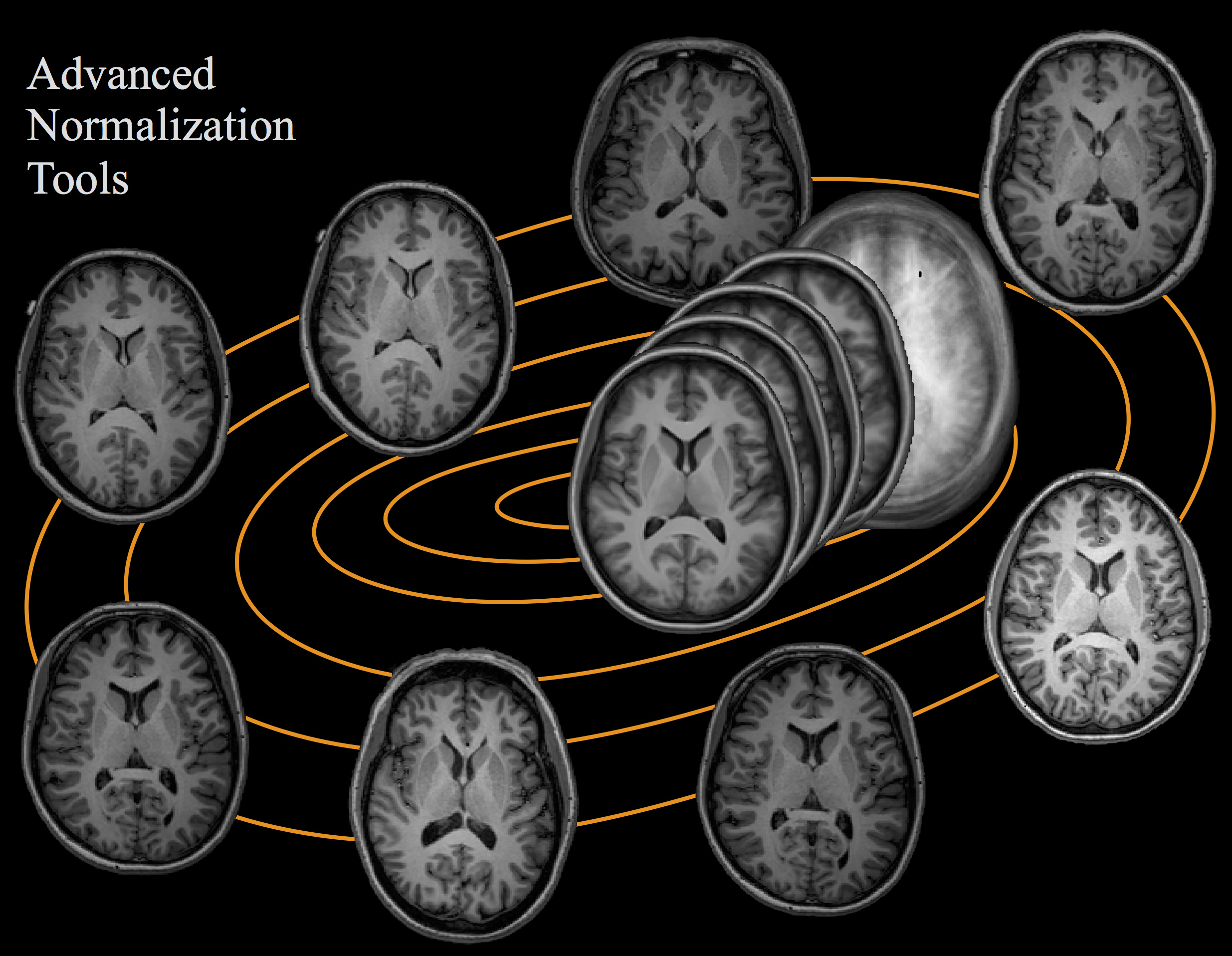
ANTS is a tool for computational neuroanatomy based on medical images. ANTS reads any image type that can be read by ITK (www.itk.org), that is, jpg, tiff, hdr, nii, nii.gz, mha/d and more image types as well. For the most part, ANTS will output float images which you can convert to other types with the ANTS ConvertImagePixelType tool. ImageMath has a bunch of basic utilities such as multiplication, inversion and many more advanced tools such as computation of the Lipschitz norm of a deformation field. ANTS programs may be called from the command line on almost any platform.
Various processors and pieces of code are often compared to brains, but neuromorphic chips work to much more directly mimic neurological systems through the use of computational “neurons” that communicate with one another. Intel’s first-generation Loihi chip, introduced in 2017, has around 128,000 of those digital neurons. Over the ensuing four years, Loihi has been packed into increasingly large systems, learned to touch and even been taught to smell.
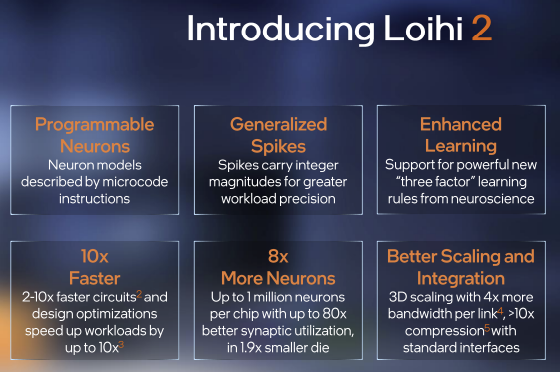
Now, it’s getting a new family member: Loihi 2. In its press release, Intel said that years of testing with the first-generation Loihi chip helped them to design a second generation with up to ten times the processing speed; up to 15 times greater resource density; and up to a million computational neurons per chip – more than seven times those in the first generation. Intel reports that early tests have shown that Loihi 2 required more than 60 times fewer ops per inference when running deep neural networks as compared to Loihi 1 (without a loss in accuracy).
CMake is an open-source, cross-platform family of tools designed to build, test and package software. CMake is used to control the software compilation process using simple platform and compiler independent configuration files, and generate native makefiles and workspaces that can be used in the compiler environment of your choice.
Step 1: You can use the bootstrap which will default the cmake to default location ie /usr/local/. If you are using bootstrap,
# tar -zxvf cmake-3.21.3.tar.gz
# cd cmake-3.21.3
# ./bootstrap
# make
# make install
Errors encountered
CMake 3.21.3, Copyright 2000-2021 Kitware, Inc. and Contributors
Found GNU toolchain
C compiler on this system is: gcc
C++ compiler on this system is: g++  -std=gnu++1y
Makefile processor on this system is: gmake
g++ has setenv
g++ has unsetenv
g++ does not have environ in stdlib.h
g++ has stl wstring
g++ has <ext/stdio_filebuf.h>
---------------------------------------------
gmake: Warning: File `Makefile' has modification time 0.15 s in the future
gmake: `cmake' is up to date.
gmake: warning:  Clock skew detected.  Your build may be incomplete.
loading initial cache file /myhome/melvin/Downloads/cmake-3.21.3/Bootstrap.cmk/InitialCacheFlags.cmake
CMake Error at CMakeLists.txt:107 (message):
  The C++ compiler does not support C++11 (e.g.  std::unique_ptr).


-- Configuring incomplete, errors occurred!
See also "/myhome/melvin/Downloads/cmake-3.21.3/CMakeFiles/CMakeOutput.log".
See also "/myhome/melvin/Downloads/cmake-3.21.3/CMakeFiles/CMakeError.log".
Resolutions:
Step 1: You may want to export this before compiling
export CXXFLAGS="-O3"
Step 2: You might want to move to an unmounted directory like /root and try compiling again with root access.
Alternatively, instead of using ./boostrap, you can use the traditional configure command
#./configure --prefix=/usr/local/cmake-3.21.3
# make
# make install
The I_MPI_DEBUG environment variable provides a convenient way to get detailed information about an MPI application at runtime. You can set the variable value from 0 (the default value) to 1000. The higher the value, the more debug information you get.
High values of I_MPI_DEBUG can output a lot of information and significantly reduce performance of your application. A value of I_MPI_DEBUG=5 is generally a good starting point, which provides sufficient information to find common errors.
Step 1: From the console, locate the downloaded install file. Step 2: Use $ sudo sh ./<installer>.sh to launch the GUI Installer as the root. Optionally, use $ sh ./<installer>.sh to launch the GUI Installer as the current user. Step 3: Follow the instructions in the installer. Step 4: Explore the Get Started Guide.
Step 1: From the console, locate the downloaded install file.
Step 2: Use $ sudo sh ./<installer>.sh to launch the GUI Installer as root. Optionally, use $ sh ./<installer>.sh to launch the GUI Installer as current user.
ERROR: Too many elements extracted from MEAM library (current limit:5 ). Increase 'maxelt' in meam.h and recompile.
Last command: pair_coeff     * * library.alloy2.meam .............................
Move to /usr/local/lammps-29Oct20/src/USER-MEAMC/meam.h and /usr/local/lammps-29Oct20/src/meam.h. Edit line 22. The default value is #define maxelt 5
#definte maxelt 6
Recompile the lammps. Go to /usr/local/lammps-29Oct20/src
A newly published report on the state of artificial intelligence says the field has reached a turning point where attention must be paid to the everyday applications and even abuses of AI technology
“In the past five years, AI has made the leap from something that mostly happens in research labs or other highly controlled settings to something that’s out in society affecting people’s lives,” Brown University computer scientist Michael Littman, who chaired the report panel, said in a news release.
“That’s really exciting, because this technology is doing some amazing things that we could only dream about five or ten years ago,” Littman added. “But at the same time the field is coming to grips with the societal impact of this technology, and I think the next frontier is thinking about ways we can get the benefits from AI while minimizing the risks.”
The report says computer scientists must work more closely with experts in the social sciences, the legal system and law enforcement to reduce those risks.





 The Linux Cluster