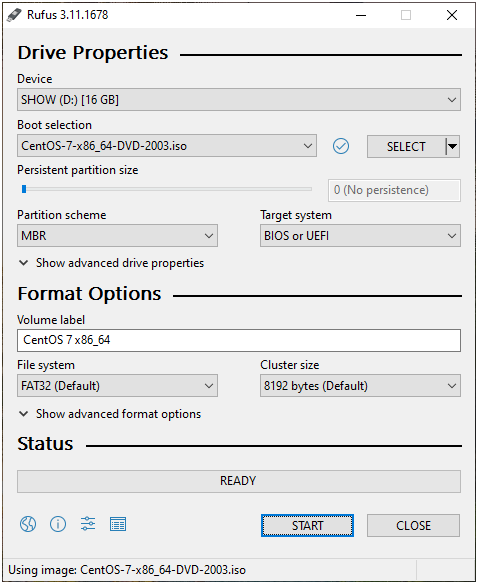
Could not resolve host: mirrorlist.centos.org for CentOS-7

Issues:

If you need to install something for your EOL CentOS-7. For example to install CentOS_lm_sensors

Could not retrieve mirrorlist http://mirrorlist.centos.org/?release=7&arch=x86_64&repo=os&infra=stock error was
14: curl#6 - "Could not resolve host: mirrorlist.centos.org; Unknown error"
http://mirror.centos.org/centos/7/os/x86_64/repodata/repomd.xml: [Errno 14] curl#6 - "Could not resolve host: mirror.centos.org; Unknown error"
Trying other mirror.

Solutions:

Create a directory and save the original repo files before editing

# cd /etc/yum.repos.d
# mkdir original_repos
# copy -v *.repo original_repos

You will need to update the repofiles to point to vault.centos.org

sed -i s/mirror.centos.org/vault.centos.org/g /etc/yum.repos.d/*.repo
sed -i s/^#.*baseurl=http/baseurl=http/g /etc/yum.repos.d/*.repo
sed -i s/^mirrorlist=http/#mirrorlist=http/g /etc/yum.repos.d/*.repo
sed -i 's/mirrorlist/#mirrorlist/g' /etc/yum.repos.d/CentOS-*
sed -i 's|#baseurl=http://mirror.centos.org|baseurl=http://vault.centos.org|g' /etc/yum.repos.d/CentOS-*

Clean the old cache

# yum clean all

Let’s try installing lm_sensors using yum.

# yum install lm_sensors
# yum install lm_sensors-sensord
# sensors-detect
# watch -d sensors
# service sensord start

GCCGO Error During GCC-10.4.0 Compilation on CentOS 7

If you encounter “gccgo: error: ../x86_64-pc-linux-gnu/libgo/libgotool.a: No such file or directory”

.....
.....
/home/user1/gcc-10.4.0/host-x86_64-pc-linux-gnu/gcc/gccgo -B/home/user1/gcc-10.4.0/host-x86_64-pc-linux-gnu/gcc/ -B/usr/x86_64-pc-linux-gnu/bin/ -B/usr/x86_64-pc-linux-gnu/lib/ -isystem /usr/x86_64-pc-linux-gnu/include -isystem /usr/x86_64-pc-linux-gnu/sys-include   -g -O2 -I ../x86_64-pc-linux-gnu/libgo -static-libstdc++ -static-libgcc  -L ../x86_64-pc-linux-gnu/libgo -L ../x86_64-pc-linux-gnu/libgo/.libs -o go ../.././gotools/../libgo/go/cmd/go/alldocs.go ../.././gotools/../libgo/go/cmd/go/go11.go ../.././gotools/../libgo/go/cmd/go/main.go ../x86_64-pc-linux-gnu/libgo/libgotool.a  
gccgo: error: ../x86_64-pc-linux-gnu/libgo/libgotool.a: No such file or directory
make[2]: *** [Makefile:821: go] Error 1
make[2]: Leaving directory '/home/user1/gcc-10.4.0/host-x86_64-pc-linux-gnu/gotools'
make[1]: *** [Makefile:14649: all-gotools] Error 2
make[1]: Leaving directory '/home/user1/gcc-10.4.0'
make: *** [Makefile:997: all] Error 2

The issue can be easily resolved by not building gcc in the same directory as the source code. At GCC Home

% ./contrib/download_prerequisites
% mkdir build
% ../configure --prefix=/usr/local/gcc-10.4.0 --disable-multilib --enable-languages=all
% make -j 8
% make install

Basic Usage of Singularity (Part 1)

The article is taken from https://github.com/NIH-HPC/Singularity-Tutorial. I’m personally learning much from the systematic rich contents and below are my learning points……

Downloading Singularity

https://github.com/sylabs/singularity

Popular Sites

There are popular sites for Singularity Download that has pre-build containers

Downloading the Containers

% singularity pull library://godlovedc/funny/lolcow
INFO:    Downloading library image
89.2MiB / 89.2MiB [========================================================================================================================================================] 100 % 5.4 MiB/s 0s
WARNING: integrity: signature not found for object group 1
WARNING: Skipping container verification

Singularity File

The Singularity File has a .sif extension something like this

lolcow_latest.sif

Entering the Shell of Singularity

% singularity shell lolcow_latest.sif
Singularity> cat /etc/os-release
NAME="Ubuntu"
VERSION="16.04.5 LTS (Xenial Xerus)"
ID=ubuntu
ID_LIKE=debian
PRETTY_NAME="Ubuntu 16.04.5 LTS"
VERSION_ID="16.04"
HOME_URL="http://www.ubuntu.com/"
SUPPORT_URL="http://help.ubuntu.com/"
BUG_REPORT_URL="http://bugs.launchpad.net/ubuntu/"
VERSION_CODENAME=xenial
UBUNTU_CODENAME=xenial

You will notice the container is running Ubuntu…… although the Host OS could be different

Interesting Observations

a. The user remains the same inside and outside of the container.

Singularity> whoami
admin

b. The hostname remains the same inside and outside the container

Singularity> hostname
node1

c. Running the application within the containers

Singularity> cowsay moo
 _____
< moo >
 -----
        \   ^__^
         \  (oo)\_______
            (__)\       )\/\
                ||----w |
                ||     ||

d. Exiting the Application

Singularity > exit

References:

  1. https://github.com/NIH-HPC/Singularity-Tutorial
  2. https://github.com/sylabs/singularity

How to configure NFS on CentOS 7

Step 1: Do a Yum Install

# yum install nfs-utils rpcbind

Step 2: Enable the Service at Boot Time

# systemctl enable nfs-server
# systemctl enable rpcbind
# systemctl enable nfs-lock     (it does not need to be enabled since rpc-statd.service  is static.)
# systemctl enable nfs-idmap    (it does not need to be enabled since nfs-idmapd.service is static.)

Step 3: Start the Services

# systemctl start rpcbind
# systemctl start nfs-server
# systemctl start nfs-lock
# systemctl start nfs-idmap

Step 4: Confirm the status of NFS

# systemctl status nfs

Step 5: Create a mount point

# mkdir /shared-data

Step 6: Exports the Share

# vim /etc/exports
/shared-data 192.168.0.0/16(rw,no_root_squash)

Step 7: Export the Share

# exportfs -rv

Step 8: Restart the NFS Services

# systemctl restart nfs-server

Step 9: Configure the Firewall

# firewall-cmd --add-service=nfs --zone=internal --permanent
# firewall-cmd --add-service=mountd --zone=internal --permanent
# firewall-cmd --add-service=rpc-bind --zone=internal --permanent

References:

  1. How to configure NFS in RHEL 7
  2. What firewalld services should be active on an NFS server in RHEL 7?

CentOS Project is shifting to CentOS Stream

The CentOS project recently announced a shift in strategy for CentOS.

  • It will be shifting to an upstream build (testing patches and updates before inclusion in the upstream vendor).
  • Additionally, support for CentOS Linux 8 has been cut short, from May 31, 2029 to December 31, 2021.
  • CentOS 7 will continue to be supported as a downstream version of RHEL 7 till Jun 2024.


Where do we go from here? We can look at Rocky Linux. Rocky Linux aims to function as a downstream build as CentOS had done previously, building releases after they have been added by the upstream vendor, not before. Rocky Linux is led by Gregory Kurtzer, founder of the CentOS project.


Listing processes for a specific user

Using htop to list users. Which is one of my favourite.

% top -U user1

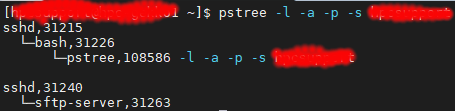
pstree which displays a tree of processes and can include parents and child processes which make it easier to understand.

% pstree -l -a -p -s user1


where
-l : Long format
-a : Show command line args
-p : Display Linux PIDs
-s : See parents of the selected process

pgrep look up or signal processes based on name and other attributes

% pgrep -l -u user1

References:

  1. Linux list processes by user names

mount.nfs: requested NFS version or transport protocol is not supported

If you have encountered issues like

mount.nfs: requested NFS version or transport protocol is not supported

OR

mount.nfs4: Protocol not supported

To resolve this

Mount with NFS version 3 (with 4 verbose flags)

% mount -vvvv -t nfs -o vers=3 nfs-server:/share /mnt/nfs

References:

  1. Error “mount.nfs: requested NFS version or transport protocol is not supported” when attempting to mount an NFS share on Red Hat Enterprise Linux 6