

Author: kittycool only
Running a Pre-Exascale, Geographically Distributed, Multi-Cloud Scientific Simulation
Understanding HPC Benchmark Performance on Intel Broadwell and Cascade Lake Processors

Compiling LAMMPS-15Jun20 with GNU 6 and OpenMPI 3
Prerequisites
openmpi-3.1.4
gnu-6.5
m4-1.4.18
gmp-6.1.0
mpfr-3.1.4
mpc-1.0.3
isl-0.18
gsl-2.1
lammps-15Jun20
Download the latest tar.gz from https://lammps.sandia.gov/
Step 1: Untar LAMMPS
% tar -zxvf lammps-stable.tar.gzStep 2: Go to $LAMMPS_HOME/src. Make Standard Packages
% cd src
% make yes-standard
% make no-gpu
% make no-mscg
Step 3: Compile message libraries
% cd lammps-15Jun20/lib/message/cslib/src
% make lib_parallel zmq=no
Copy and rename the produced cslib/src/libcsmpi.a or libscnompi.a file to cslib/src/libmessage.a
% cp cslib/src/libcsmpi.a cslib/src/libmessage.aCopy either lammps-15Jun20/lib/message/Makefile.lammps.zmq or Makefile.lammps.nozmq to lib/message/Makefile.lammps
% cp Makefile.lammps.nozmq Makefile.lammpsStep 4: Compile poems
% cd lammps-15Jun20/lib/poems
% make -f Makefile.g++
Step 5: Compile latte
Download LATTE code and unpack the tarball either in this /lib/latte directory
% git clone https://github.com/lanl/LATTEInside lammps-15Jun20/lib/latte/LATTE
Modify the makefile.CHOICES according to your system architecture and compilers
% cd lammps-15Jun20/lib/latte/LATTE
% cp makefile.CHOICES makefile.CHOICES.gfort
% make
% cd lammps-15Jun20/lib/latte
% ln -s ./LATTE/src includelink
% ln -s ./LATTE liblink
% ln -s ./LATTE/src/latte_c_bind.o filelink.o
% cp Makefile.lammps.gfortran Makefile.lammpsStep 6. Compile Voronoi
Download voro++-0.4.6.tar.gz from http://math.lbl.gov/voro++/download/
Untar the voro++-0.4.6.tar.gz inside lammps-15Jun20/lib/voronoi/
% tar -zxvf voro++-0.4.6.tar.gz
% cd lammps-15Jun20/lib/voronoi/voro++-0.4.6
% make
Step 7: Compile kim
Download kim from https://openkim.org/doc/usage/obtaining-models . The current version is kim-api-2.1.3.txz
Download at /lammps-15Jun20/lib/kim
% cd lammps-15Jun20/lib/kim
% tar Jxvf kim-api-2.1.3.txz
% cd kim-api-2.1.3
% mkdir build
% cd build
% cmake .. -DCMAKE_INSTALL_PREFIX=${PWD}/../../installed-kim-api-2.1.3
% make -j2
% make install
% cd /lammps-15Jun20/lib/kim/installed-kim-api-2.1.3/
% source ${PWD}/kim-api-X2.1.3/bin/kim-api-activate
% kim-api-collections-management install system EAM_ErcolessiAdams_1994_Al__MO_324507536345_002Step 8: Compile USER-COLVARS
% cd lammps-15Jun/lib/colvars
% make -f Makefile.g++
Step 9: Check Packages Status
% make package-status
[root@hpc-gekko1 src]# make package-status
Installed YES: package ASPHERE
Installed YES: package BODY
Installed YES: package CLASS2
Installed YES: package COLLOID
Installed YES: package COMPRESS
Installed YES: package CORESHELL
Installed YES: package DIPOLE
Installed  NO: package GPU
Installed YES: package GRANULAR
Installed YES: package KIM
.....
.....
Step 9a: To Activate Standard Package
% make yes-standardStep 9b: To activate USER-COLVARS, USER-OMP
% make yes-user-colvars
% make yes-user-omp
Step 9c: To deactivate GPGPU
% make no-gpuStep 10: Finally Compile LAMMPS
% cd lammps-15Jun20/src
% make g++_openmpi -j 16
You should have binary called lmp_g++_openmpi
Do a softlink
ln -s lmp_g++_openmpi lammpsYum History and Using Yum to Roll Back updates
Getting History of YUM actions
Point 1: List Yum actions list
(base) [root@hpc-node1 ~]# yum history list
Loaded plugins: fastestmirror, langpacks
ID | Login user | Date and time | Action(s) | Altered
-------------------------------------------------------------------------------
42 | root <root> | 2020-06-30 11:36 | I, U | 3
41 | 12345 | 2020-06-04 16:43 | Install | 2
40 | 12345 | 2020-06-04 16:26 | I, O, U | 878 E<
39 | 12345 | 2020-03-20 13:54 | Install | 1 >
38 | 12345 | 2020-03-20 13:46 | Install | 1
37 | 12345 | 2020-03-20 13:45 | Install | 2
36 | 12345 | 2020-03-20 13:44 | Install | 1
35 | 12345 | 2020-03-20 13:43 | Install | 28
34 | 12345 | 2020-03-20 12:52 | Update | 4
33 | 12345 | 2020-03-20 12:51 | Install | 1
32 | 12345 | 2020-03-20 12:43 | Update | 1
31 | 12345 | 2020-03-20 11:10 | Install | 1
30 | 12345 | 2020-03-20 10:53 | Install | 2
29 | 12345 | 2020-02-20 14:54 | Install | 1
28 | 12345 | 2020-01-23 16:10 | I, U | 2
27 | 12345 | 2020-01-15 15:03 | Update | 15
26 | 12345 | 2020-01-15 15:03 | I, U | 18
25 | 12345 | 2020-01-15 15:03 | Update | 3
24 | 12345 | 2019-11-07 11:00 | Install | 1 <
23 | 12345 | 2019-09-23 12:47 | Install | 1 >
Point 2: Undo the Yum action.
(base) [root@hpc-node1 boot]# yum history undo 42
Loaded plugins: fastestmirror, langpacks
Undoing transaction 42, from Tue Jun 30 11:36:18 2020
.....
.....
Running transaction
  Installing : ntpdate-4.2.6p5-29.el7.centos.x86_64                                                                                                                                             1/4
  Erasing    : ntp-4.2.6p5-29.el7.centos.2.x86_64                                                                                                                                                       2/4
  Erasing    : autogen-libopts-5.18-5.el7.x86_64                                                                                                                                                        3/4
  Cleanup    : ntpdate-4.2.6p5-29.el7.centos.2.x86_64                                                                                                                                                   4/4
  Verifying  : ntpdate-4.2.6p5-29.el7.centos.x86_64                                                                                                                                                     1/4
  Verifying  : ntp-4.2.6p5-29.el7.centos.2.x86_64                                                                                                                                                       2/4
  Verifying  : autogen-libopts-5.18-5.el7.x86_64                                                                                                                                                        3/4
  Verifying  : ntpdate-4.2.6p5-29.el7.centos.2.x86_64                                                                                                                                                   4/4

Removed:
  autogen-libopts.x86_64 0:5.18-5.el7                              ntp.x86_64 0:4.2.6p5-29.el7.centos.2                              ntpdate.x86_64 0:4.2.6p5-29.el7.centos.2

Installed:
  ntpdate.x86_64 0:4.2.6p5-29.el7.centos

Complete!
Point 3 – Check on the history of a particular package
yum history list ntpdate
Loaded plugins: fastestmirror, langpacks
ID     | Login user               | Date and time    | Action(s)      | Altered
-------------------------------------------------------------------------------
    43 | root               | 2020-07-06 11:31 | D, E           |    3
    42 | root               | 2020-06-30 11:36 | I, U           |    3
    40 | root               | 2020-06-04 16:26 | I, O, U        |  878 EE
     2 | root               | 2019-07-09 09:31 | I, U           | 1029 EE
Installing and using Mellanox HPC-X Software Toolkit
Overview
Taken from Mellanox HPC-X Software Toolkit User Manual 2.3
Mellanox HPC-X is a comprehensive software package that includes MPI and SHMEM communication libraries. HPC-X includes various acceleration packages to improve both the performance and scalability of applications running on top of these libraries, including UCX (Unified Communication X) and MXM (Mellanox Messaging), which accelerate the underlying send/receive (or put/get) messages. It also includes FCA (Fabric Collectives Accelerations), which accelerates the underlying collective operations used by the MPI/PGAS languages.
Download
https://www.mellanox.com/products/hpc-x-toolkit
Installation
% tar -xvf hpcx-v2.6.0-gcc-MLNX_OFED_LINUX-5.0-1.0.0.0-redhat7.6-x86_64.tbz
% cd hpcx-v2.6.0-gcc-MLNX_OFED_LINUX-5.0-1.0.0.0-redhat7.6-x86_64
% export HPCX_HOME=/usr/local/hpcx-v2.6.0-gcc-MLNX_OFED_LINUX-5.0-1.0.0.0-redhat7.6-x86_64
Loading HPC-X Environment from BASH
HPC-X includes Open MPI v4.0.x. Each Open MPI version has its own module file which can be used to load the desired version
% source $HPCX_HOME/hpcx-init.sh
% hpcx_load
% env | grep HPCX
% mpicc $HPCX_MPI_TESTS_DIR/examples/hello_c.c -o $HPCX_MPI_TESTS_DIR/examples/hello_c
% mpirun -np 2 $HPCX_MPI_TESTS_DIR/examples/hello_c
% oshcc $HPCX_MPI_TESTS_DIR/examples/hello_oshmem_c.c -o $HPCX_MPI_TESTS_DIR/examples/
% hello_oshmem_c
% oshrun -np 2 $HPCX_MPI_TESTS_DIR/examples/hello_oshmem_c
% hpcx_unload
Loading HPC-X Environment from Modules
You can use the already built module files in hpcx.
% module use $HPCX_HOME/modulefiles
% module load hpcx
% mpicc $HPCX_MPI_TESTS_DIR/examples/hello_c.c -o $HPCX_MPI_TESTS_DIR/examples/hello_c
% mpirun -np 2 $HPCX_MPI_TESTS_DIR/examples/hello_c
% oshcc $HPCX_MPI_TESTS_DIR/examples/hello_oshmem_c.c -o $HPCX_MPI_TESTS_DIR/examples/
hello_oshmem_c
% oshrun -np 2 $HPCX_MPI_TESTS_DIR/examples/hello_oshmem_c
% module unload hpcx
Building HPC-X with the Intel Compiler Suite
Do take a look at the Mellanox HPC-X® ScalableHPC Software Toolkit
References:
Lenovo new 4-Socket Servers SR860-V2 and SR850-V2
This month, Lenovo launched 2 new mission-critical servers based on new 4-socket-capable third-generation Intel Xeon Scalable processors.
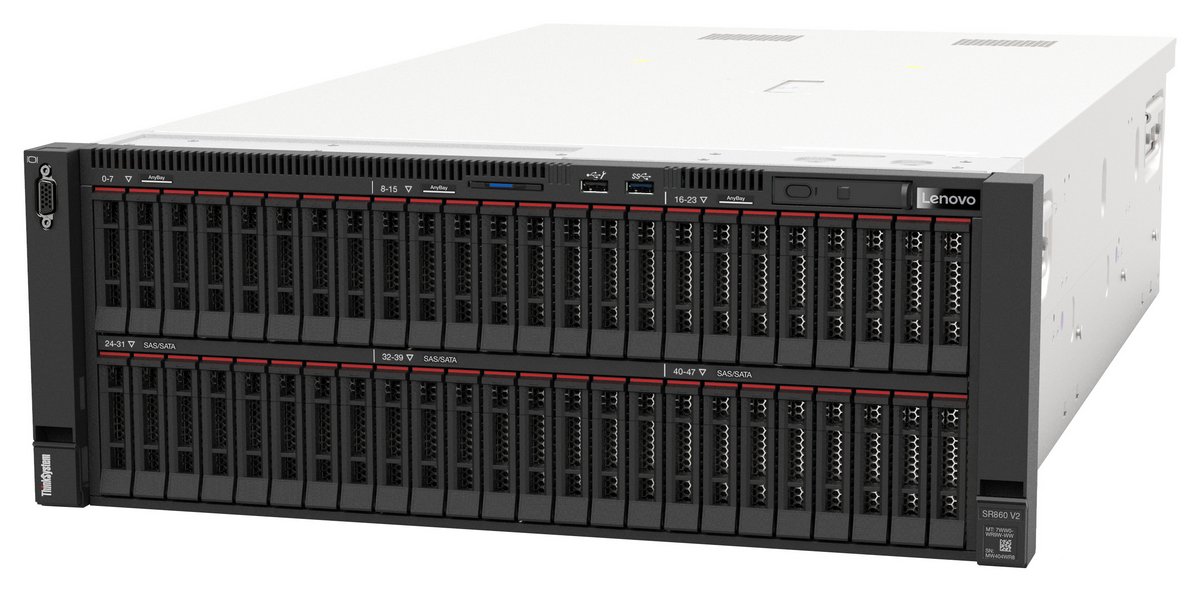
- ThinkSystem SR860 V2, the new 4U 4-socket server, supporting up to 48x 2.5-inch drive bays and up to 8x NVIDIA T4 GPUs or 4x NVIDIA V100S GPUs.
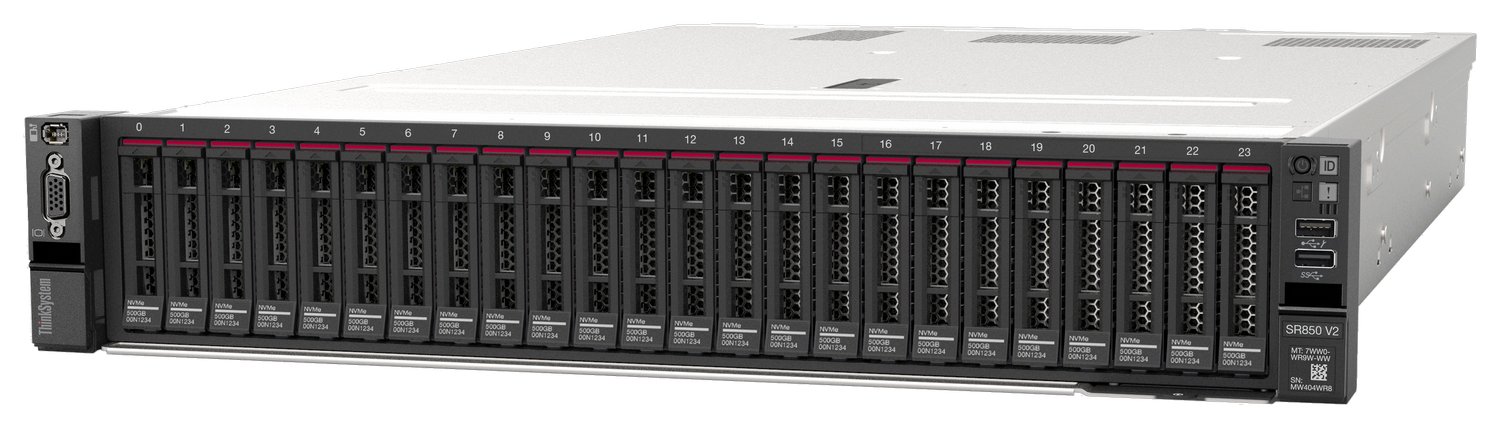
- ThinkSystem SR850 V2, the new 2U 4-socket server, supported up to 24x 2.5-inch drive bays, all of which can be NVMe if desired.
References:
General Linux OS Tuning for AMD EPYC
Step 1: Turn off swap
Turn off swap to prevent accidental swapping. Do not that disabling swap without sufficient memory can have undesired effects
swapoff -a
Step 2: Turn off NUMA balancing
NUMA balancing can have undesired effects and since it is possible to bind the ranks and memory in HPC, this setting is not needed
echo 0 > /proc/sys/kernel/numa_balancing
Step 3: Disable ASLR (Address Space Layout Ranomization) is a security feature used to prevent the exploitation of memory vulnerabilities
echo 0 > /proc/sys/kernel/randomize_va_space
Step 4: Set CPU governor to performance and disable cc6. Setting the CPU perfomance to governor to perfomrnaces ensures max performances at all times. Disabling cc6 ensures that deeper CPU sleep states are not entered.
cpupower frequency-set -g performance
Setting cpu: 0
Setting cpu: 1
.....
.....
cpupower idle-set -d 2
Idlestate 2 disabled on CPU 0
Idlestate 2 disabled on CPU 1
Idlestate 2 disabled on CPU 2
.....
.....
References:
Getting Useful Information on CPU and Configuration
Point 1. lscpu
To install
yum install util-linux
lscpu – (Print out information about CPU and its configuration)
[user1@myheadnode1 ~]$ lscpu
Architecture: x86_64
CPU op-mode(s): 32-bit, 64-bit
Byte Order: Little Endian
CPU(s): 32
On-line CPU(s) list: 0-31
Thread(s) per core: 2
Core(s) per socket: 8
Socket(s): 2
NUMA node(s): 2
Vendor ID: GenuineIntel
CPU family: 6
Model: 85
Model name: Intel(R) Xeon(R) Gold 6134 CPU @ 3.20GHz
Stepping: 4
CPU MHz: 3200.000
BogoMIPS: 6400.00
Virtualization: VT-x
L1d cache: 32K
L1i cache: 32K
L2 cache: 1024K
L3 cache: 25344K
NUMA node0 CPU(s): 0-7,16-23
NUMA node1 CPU(s): 8-15,24-31
Flags: fpu .................
Point 2: hwloc-ls
To install hwloc-ls
yum install hwloc
hwloc – (Prints out useful information about the NUMA locality of devices and general hardware locality information)
[user1@myheadnode1 ~]# hwloc-ls
Machine (544GB total)
NUMANode L#0 (P#0 256GB)
Package L#0 + L3 L#0 (25MB)
L2 L#0 (1024KB) + L1d L#0 (32KB) + L1i L#0 (32KB) + Core L#0
PU L#0 (P#0)
PU L#1 (P#16)
L2 L#1 (1024KB) + L1d L#1 (32KB) + L1i L#1 (32KB) + Core L#1
PU L#2 (P#1)
PU L#3 (P#17)
L2 L#2 (1024KB) + L1d L#2 (32KB) + L1i L#2 (32KB) + Core L#2
PU L#4 (P#2)
PU L#5 (P#18)
L2 L#3 (1024KB) + L1d L#3 (32KB) + L1i L#3 (32KB) + Core L#3
PU L#6 (P#3)
PU L#7 (P#19)
L2 L#4 (1024KB) + L1d L#4 (32KB) + L1i L#4 (32KB) + Core L#4
PU L#8 (P#4)
PU L#9 (P#20)
L2 L#5 (1024KB) + L1d L#5 (32KB) + L1i L#5 (32KB) + Core L#5
PU L#10 (P#5)
PU L#11 (P#21)
L2 L#6 (1024KB) + L1d L#6 (32KB) + L1i L#6 (32KB) + Core L#6
PU L#12 (P#6)
PU L#13 (P#22)
L2 L#7 (1024KB) + L1d L#7 (32KB) + L1i L#7 (32KB) + Core L#7
PU L#14 (P#7)
PU L#15 (P#23)
.....
.....
.....
Point 3 – Check whether the Boost is on for AMD
Print out if CPU boost is on or off
cat /sys/devices/system/cpu/cpufreq/boost
1
References:
BOIS settings for OEM Server with EPYC
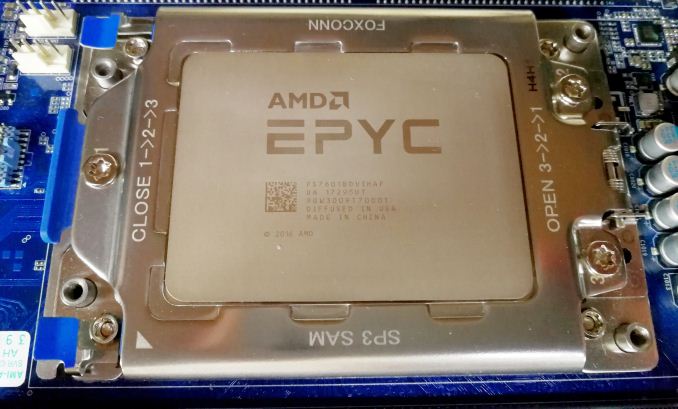
Taken from Chapter 4 of https://developer.amd.com/wp-content/resources/56827-1-0.pdf
Selected Explanation of Setting. (See Document for FULL explanation)
1. Simultaneous Mult-Threading (SMT) or HyperThreading (HT)
- IN HPC Workload, the SMT are usually turned off
2. x2APIC
- This option helps the operating system deal with interrupt more efficiently in high cores count configuration. It is recommended to enable this option. This option must be enabled if using more than 255 threads
3. Numa Per Socket (NPS)
- In many HPC applications, ranks and memory can be pinned to cores and NUMA Nodes. The recommended value should be NPS4 option. However, if the workload is not NUMA aware or suffers when the NUMA complexity increase, we can experiment with NSP1.
4. Memory Frequency, Infinity Fabric Frequency, and coupled ve uncoupled mode
Memory Clock and Infinity Fabric Clock can run at synchronous frequencies (coupled mode) or at asynchronous frequencies (uncoupled mode)
- If the memory is clocked at lower than 2933 MT/s, the memory and fabric will run in coupled mode which has the lowest memory latency
- If the memory is clocked at 3200 MT/s, the memory and fabric clock will run in asynchronous mode has higher bandwidth but increased memory latency.
- Make sure APBDIS is set to 1 and fixed SOC Pstate is set to P0
5. Preferred IO
Preferred IO allows one PCIe device in the system to be configured in a preferred mode. This device gets preferential treant on the infinity fabric
6. Determinism Slider
- Recommended to choose Power Option. For this mode, the CPUs in the system performance at the maximum capability of each silicon device. Due to the natural variation existing during the manufacturing process, some CPUs performances may be varied, but will never fall below “Performance Determinism mode”
 The Linux Cluster