
By default, SPICE graphic server somehow by default uses the management network to display the console. Usually the management network is not visible to the users.
For RHEV 3.4, this can be easily resolve on the RHEV Manager console
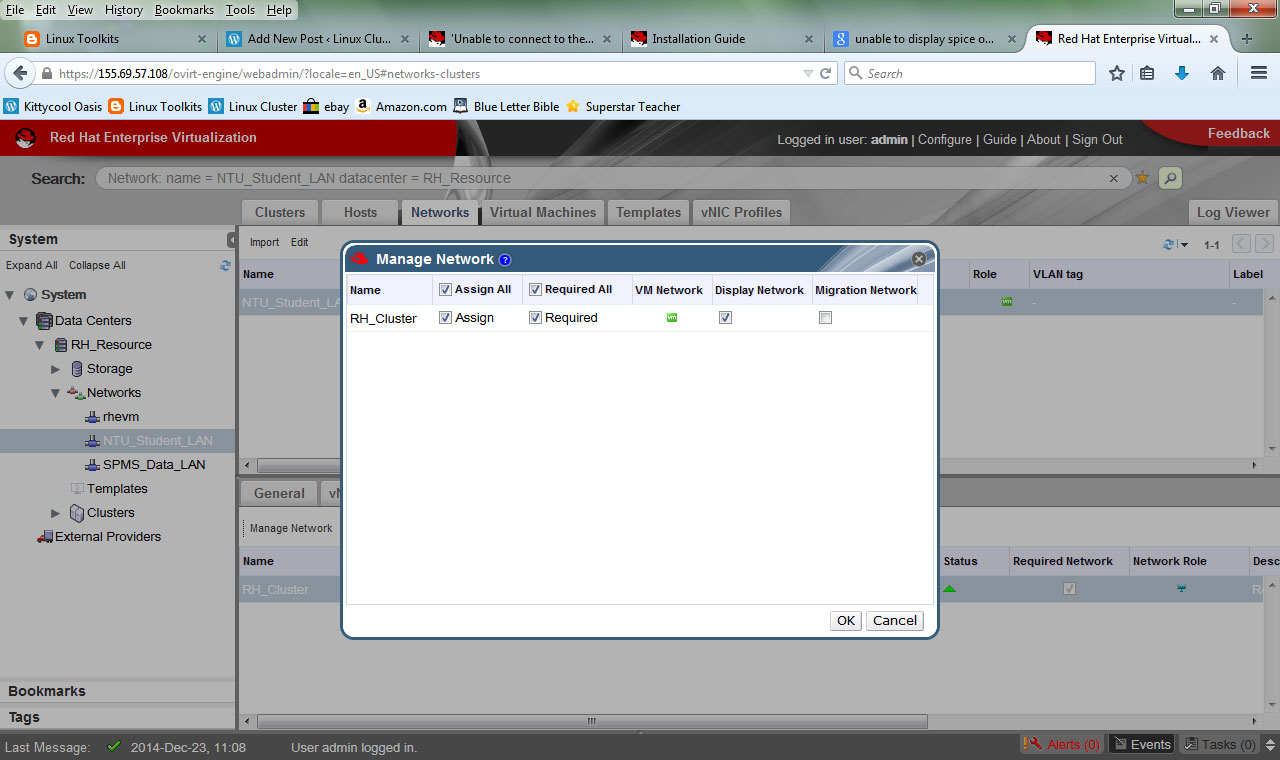
- Portal > Networks
- Click on the Network you wish SPICE graphic Server to display on
- Click “Manage Network”
- Click “Display Network”
Once configured. Remember to REBOOT all the VMs to activate the changes
 The Linux Cluster