
If you are using a MacOS and you are planning to do a X-forwarding, you may notice an error like this. In the Pix, below, after SSH, I wanted to X-forward Firefox Browser from Rocky Linux 8
ssh -X user1@192.168.0.1

There are a few settings we need to do. Let’s fix the “Locale not supported by C library. Using the fallback ‘C’ locale”
Issue 1 – Locale not support by C library. Using the fallback ‘C’ locale
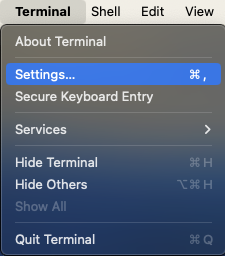
To fix it, go to Top-Left-Hand Corner of your Mac-Desktop to look for the Terminal App,
- Click “Settings” (Pix 1)
- Click the Profiles Icons (Pix 2)
- Uncheck the “Set locale environment variable on startup” (Pix 2)

Close and Quit Terminal App and come in again. You should fix the first problem.
Issue 2 – Install XQuartz
X11 used to be included with macOS. Apple no longer includes X11 with macOS. That is why you see an error like this “Error: no DISPLAY environment variable specified.”

You have to download the XQuartz App which is an open-source effort to develop a version of the X.Org X Window System that runs on macOS. Downloading and Installing is very straight-forward and easy. I’ve captured selected screen-shots….


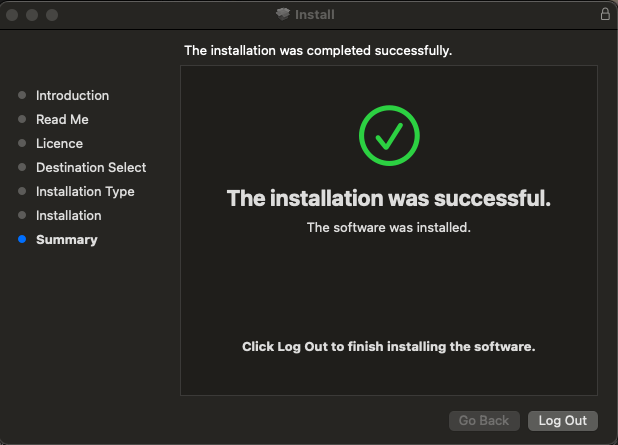
After installing, you may want to let is run in the background


Log-Off from Your Mac Completely to allow the settings to reinitate
Issue 3 – Fixing the libGL error: failed to load driver: swrast on Rocky Linux 8
You may find an issue similar to the one in the earlier blog. That is how you may want to fix it.
 The Linux Cluster