This Report Real-World Hi-Speed Network Performance with Qemu / KVM (pdf) by Jhon.Masschelein from SARA.nl is a interesting writing on Real-World Hi-Speed Network Performance
Virtualization
Vmware View for Android
VMware View Client for Android makes it easy to access your Windows virtual desktop from your Android with the best possible user experience on the Local Area Network (LAN) or across a Wide Area Network (WAN).
Red Hat Enterprise Linux Webinars

Informative Webinars from Red Hat
- Red Hat Enterprise Linux Virtualization Webinar Series (http://www.redhat.com/webinars/virtualization/)
- Red Hat Cloud Webinar Series (http://www.redhat.com/solutions/cloud/resources/buildingwebinarseries2011/)
- Red Hat Webinar (http://www.redhat.com/webinars/)
Installing Infiniband network with ESX – ESXI 4.x servers
This is an interesting article on How to create an infiniband network with ESX – ESXI 4.x servers. For more information see
Articles on Troubleshooting Performance Related Problems for VSphere 4.1
The hugely popular Performance Troubleshooting for VMware vSphere 4 guide is now updated for vSphere 4.1 . This document provides step-by-step approach for troubleshooting most common performance problems in vSphere-based virtual environments. The steps discussed in the document use performance data and charts readily available in the vSphere Client and esxtop to aid the troubleshooting flows. Each performance troubleshooting flow has two
parts:
- How to identify the problem using specific performance counters.
- Possible causes of the problem and solutions to solve it.
……………………
For more information, see
- Troubleshooting Performance Related Problems in vSphere 4.1 Environments (pdf)
- Performance & VMmark (Vmware Community)
Vmware Cloud Foundry – The industry’s first open platform as a Service
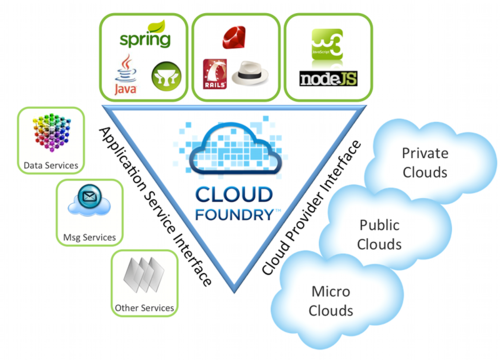
The goal of Cloud Foundry is to hide complexity from developers and make it easy to deploy and run applications anywhere. This is the same marketing speak that folks toting the cloud have pitched for years, but VMware wants to make it even more simple. Instead of worrying about instances or how to support a database, you just write a few lines of code, and Cloud Foundry makes it all happen for you…………
For more information, see
Vmware View for iPAD is finally here!
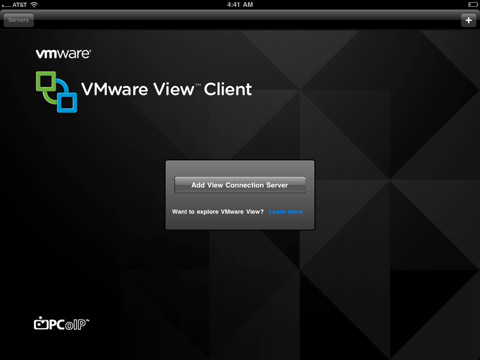
Vmware View Client for iPAD is finally here…….
VMware View Client for iPad makes it easy to access your Windows virtual desktop from your iPad with the best possible user experience on the Local Area Network (LAN) or across a Wide Area Network (WAN).
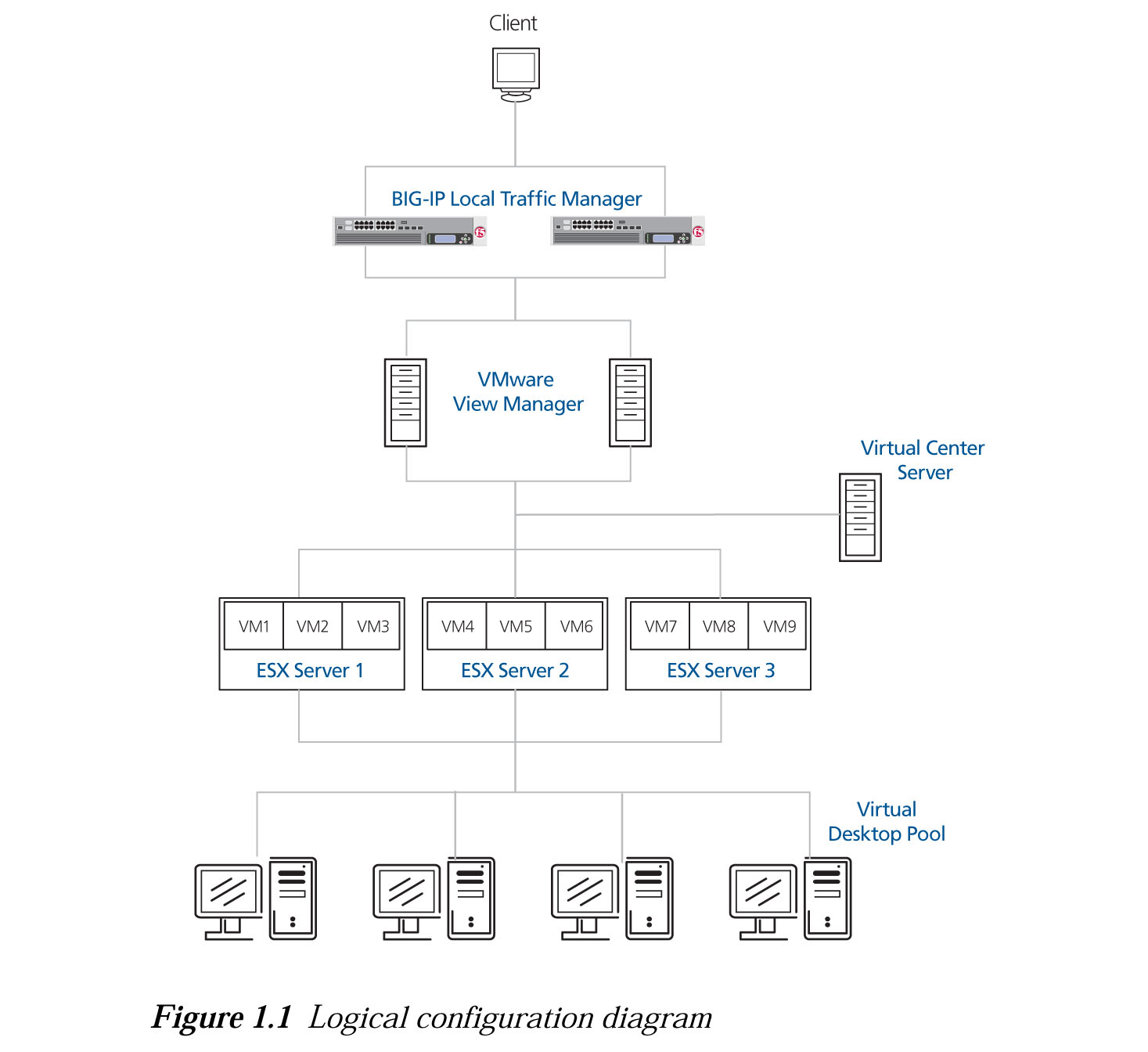
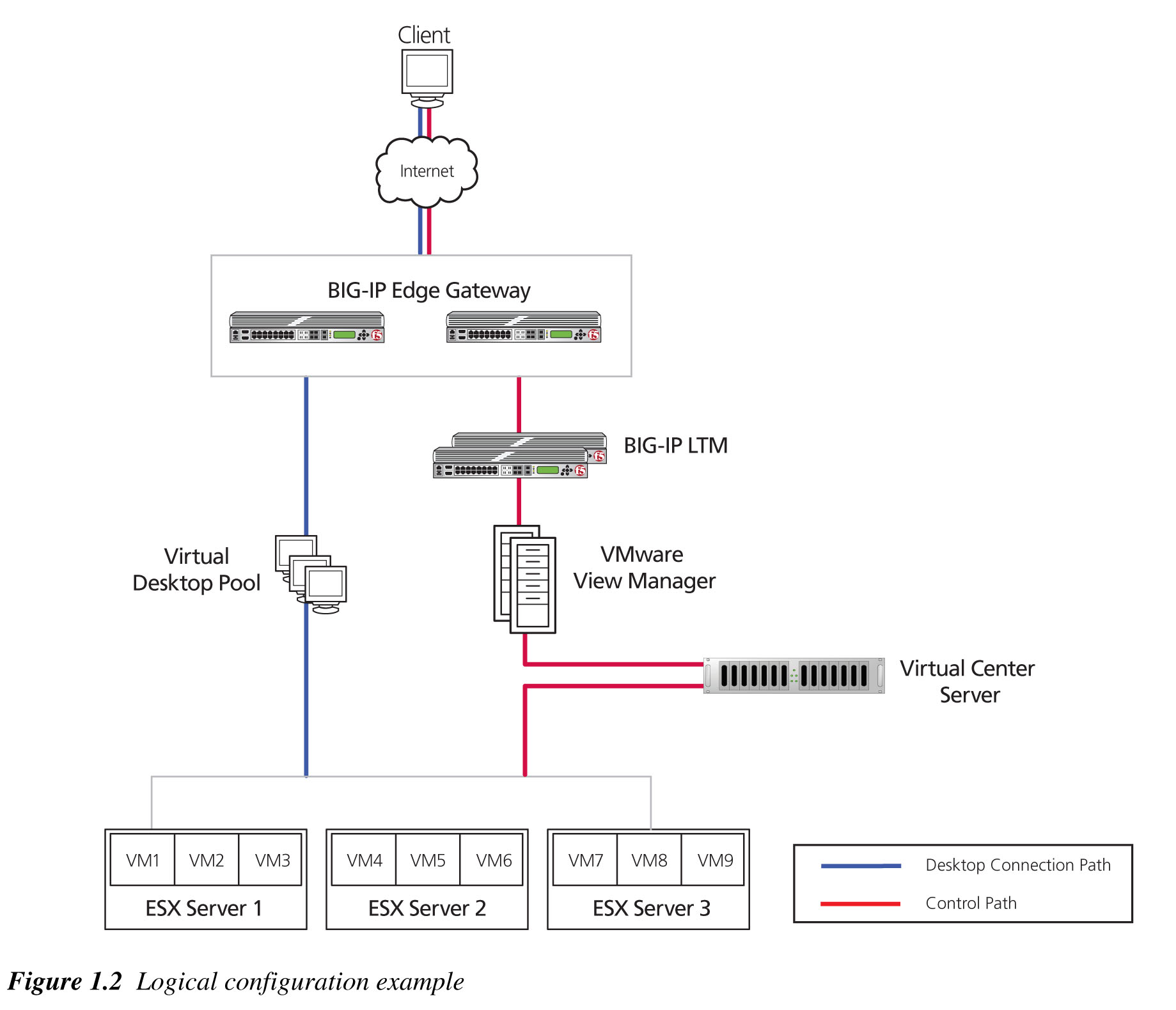
Deploying the BIG-IP Edge Gateway and Local Traffic Manager with Vmware View
The Article from F5 deals with the following issues
- Deploying F5 with Vmware View
- Configuring the BIG-IP Edge Gateway
- Configuring the BIG-IP LTM for Vmware View
Deploying the Big-IP Edge Gateway and Local Traffic Manager with Vmware View 4.0 and 4.5 (pdf)
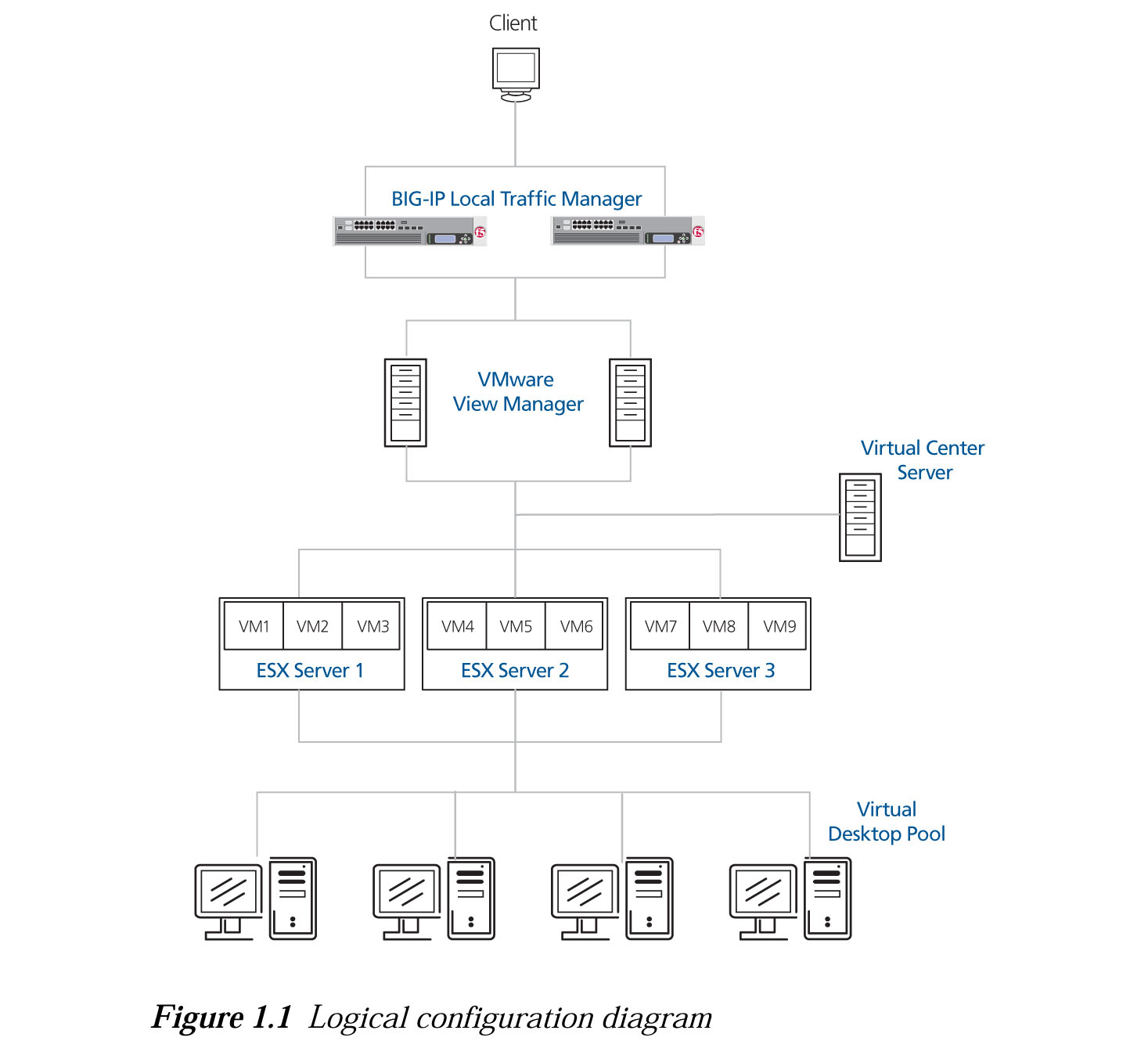
Deploying Big-IP LTM System with VMware View
This article taken from F5 deals with the following
- Modifying the VMware View Manager configuration
- Configuring the BIG-IP LTM system for VMware View
- SSL Certificates on the BIG-IP system
Configuring Vmware ESX Networking via CLI (Part II)
This is a continuation of Configuring Vmware ESX Networking via CLI (Part I). This 2nd Part dealt with Port Group. The material of this blog is taken from
- Configuring networking from the ESX service console command line (kb.vmware.com)
- New User’s Guide to Configuring VMware ESX Networking via CLI (blog.scottlowe.org)
Portgroup Configurations
1. What is vmware Port Group? For more inforamtion, you may want to see the Vmware Virtual Networking Concepts (pdf)
2. Creating a Port Group
# esxcfg-vswitch -A <Port Group Name> <vSwitch Name>
3. To set the VLAN ID for a Port Group
# esxcfg-vswitch -v <VLAN ID> -p <Port Group Name> <vSwitch Name>
For example,
# esxcfg-vswitch -v 0 -p “Service Console” vSwitch0
where 0 is the VLAN ID
4. Deleting a Port Group
# esxcfg-vswitch -D <Port Group Name> <vSwitch Name>
 The Linux Cluster