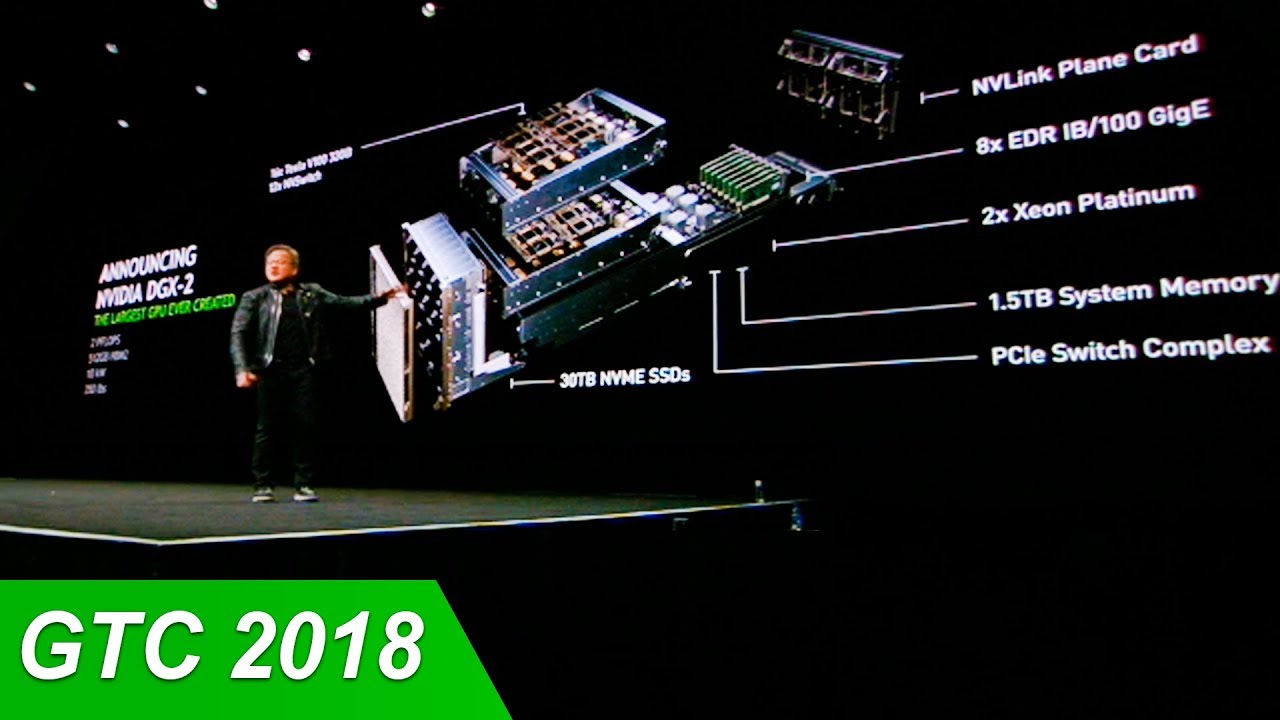
Webinar – Build the Most Powerful Data Center with GPU Computing Technology and High-speed Interconnect

Build the Most Powerful Data Center with GPU Computing Technology and High-speed Interconnect

Date: Thursday, June 11, 2020
Time: 11:00am-12:30pm Singapore Time

Register here 

Please join NVIDIA as we discuss how to design a well-balanced system that maximizes performance and scalability of various workloads using NVIDIA GPUs and interconnect

Speakers will provide an overview of the state-of-the-art NVIDIA GPU accelerated compute architecture and In-Network computing fabric and how they come together with one goal: to deliver a solution that democratizes supercomputing power, making it readily accessible, installable, and manageable in a modern business setting. To learn more about this webinar click here
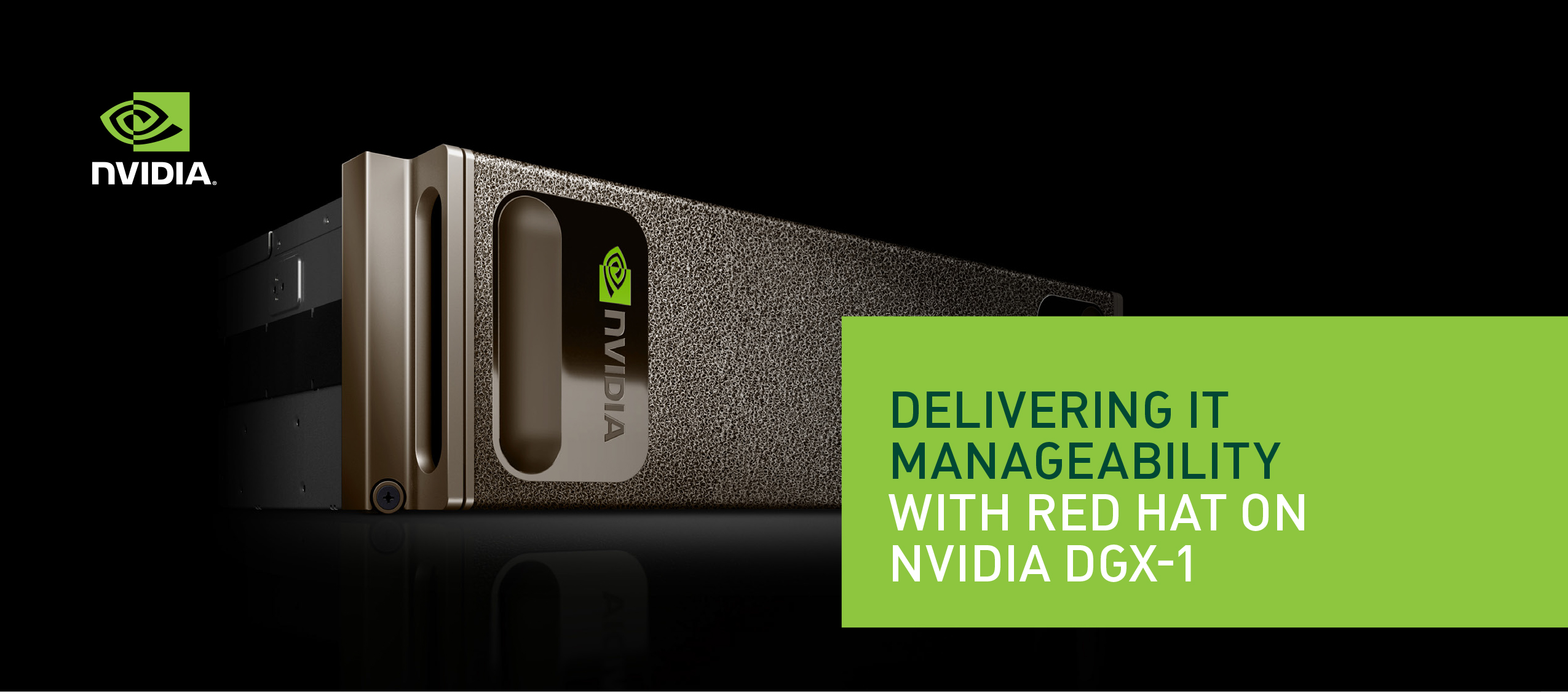
Nvidia DGX POD for Research Reference Architecture

Abstract from the Document

The NVIDIA® DGX POD™ for Research (Research POD) reference architecture provides a blueprint for university High Performance Computing (HPC) centers to design a computing resource that is cost effective, designed for the future, and sized to support a wide variety of researchers and applications.

NVIDIA DGX POD for Research – WhitePaper


Getting on board Nvidia GPGPU on CentOS KVM

  1. For vGPU test you’ll need a license, which can be requested here:
    https://www.nvidia.com/object/nvidia-enterprise-account.html
  2. Other documentation for installing vGPU on  Red Hat / CentOS is here:
    https://docs.nvidia.com/grid/latest/grid-vgpu-user-guide/index.html#red-hat-el-kvm-install-configure-vgpu
  3. Virtual GPU Software Quick Start Guide
    https://linuxcluster.wordpress.com/2019/01/28/virtual-gpu-software-quick-start-guide/

In summary the steps are:
– Install a piece of sw in the host/hypervisor to help virtualize GPUs
– Install the GPU drivers inside the guest OS of the VMs
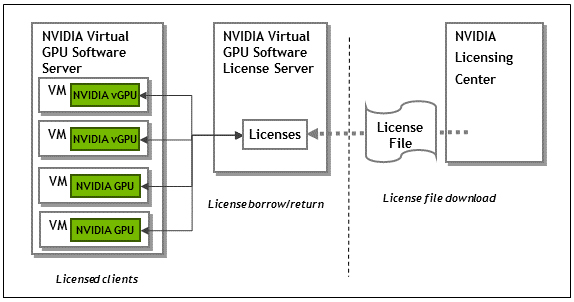
– Install a license server (flex) for the licensing
– Configure license server and settings within the VM to connect to the license server


Nvidia Tesla versus Nvidia GTX Cards

References

  1. Performance Comparison between NVIDIA’s GeForce GTX 1080 and Tesla P100 for Deep Learning
  2. Comparison of NVIDIA Tesla/Quadro and NVIDIA GeForce GPUs


Nvidia EULA

Key clauses are: 2.1.3 that states no DC deployment, commercial hosting and broadcast services
http://www.nvidia.com/content/DriverDownload-March2009/licence.php?lang=us&type=GeForce


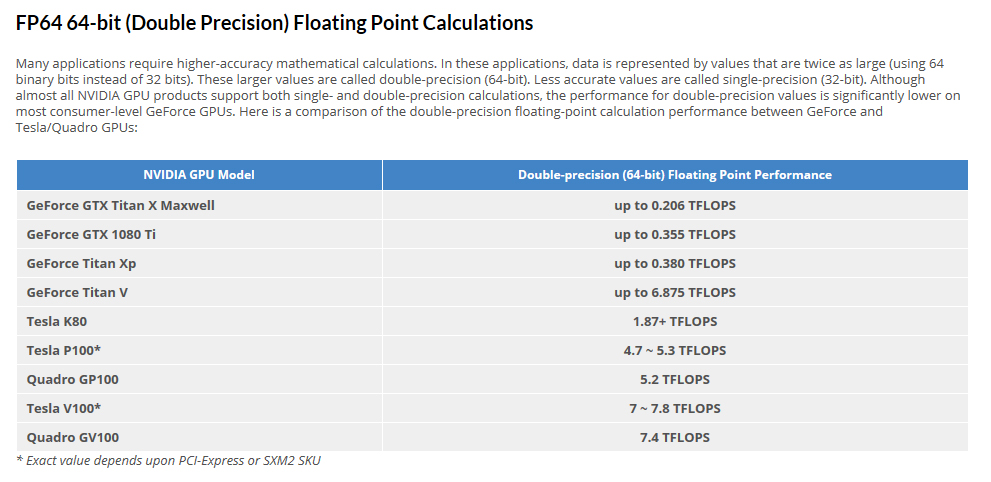
FP64 64-bits (Double Precision) Floating Point Calculation


Pix taken from Comparison of NVIDIA Tesla/Quadro and NVIDIA GeForce GPUs

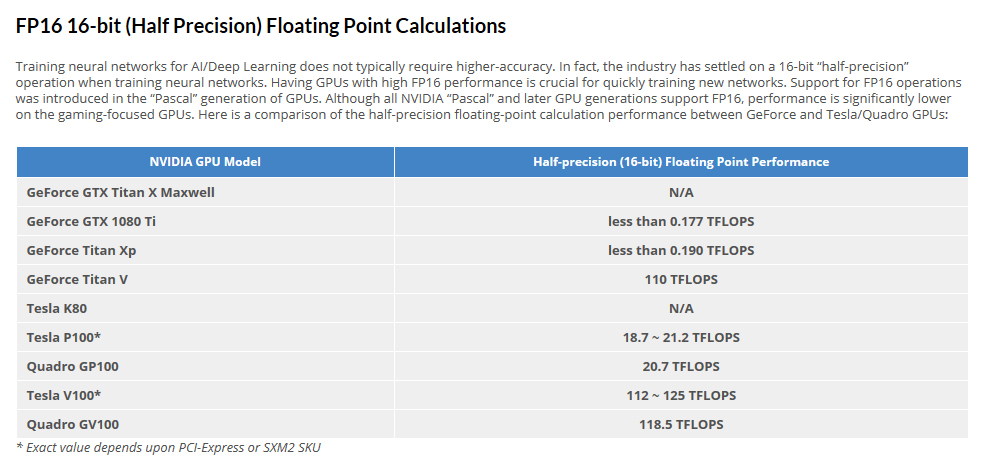
FP16-16bits (Half Precision) Floating Point Calculation


Pix taken from Comparison of NVIDIA Tesla/Quadro and NVIDIA GeForce GPUs