Mellanox Introduces Advanced Network Telemetry Technology

Mellanox today announced an advanced Network Telemetry technology that provides visibility into Data Plane Anomalies – for public cloud, private cloud and enterprise computing.

What Just Happened (WJH) is a new intelligent monitoring technology that goes well beyond conventional streaming telemetry and Inband Network Telemetry (INT) offerings. These conventional telemetry offerings generate enormous amounts of data that is mined from network port counters and statistical packet sampling and hop-by-hop INT data. This type of telemetry data lacks any context or actionable details on abnormal network behavior, forcing the network admin or monitoring tool to perform time consuming analysis to find the root cause of network issues. WJH event-based telemetry delivers direct and actionable information and thus eliminates the guesswork from network troubleshooting.

In Mellanox based switch systems, WJH inspects packets across all ports at line-rate, at speeds that would overwhelm traditional Deep Packet Inspection solutions. WJH then identifies anomalous behavior, consolidates this into concise, specific, and actionable data that enables rapid remediation and recovery of cloud applications and critical business operations.

http://www.mellanox.com/related-docs/solutions/SB_Mellanox_WJH.pdf?ls=pr&lsd=190513-WJH-1

Nvidia DGX POD for Research Reference Architecture

Abstract from the Document

The NVIDIA® DGX POD™ for Research (Research POD) reference architecture provides a blueprint for university High Performance Computing (HPC) centers to design a computing resource that is cost effective, designed for the future, and sized to support a wide variety of researchers and applications.

NVIDIA DGX POD for Research – WhitePaper


Counting the number of processes running in Linux

Option 1: Number of processes run by a lsdyna_smp_s_r1

Sometimes we need to get the number of processes run by a lsdyna_smp_s_r1. For example if you are running a software named lsdyna_smp_s_r1 and you want to know how many processes were spawn, you can use the command

# ps -C lsdyna_smp_s_r1 | wc -l
183

OR if you are checking for the number of processes for SSH

# pgrep lsdyna_smp_s_r1 | wc -l
183

Option 2: Number of processes run by a User

# ps -U user1 | wc -l
333


Spectrum Scale User Group, SCA19 Singapore (March)

Taken from https://www.spectrumscaleug.org/presentations/

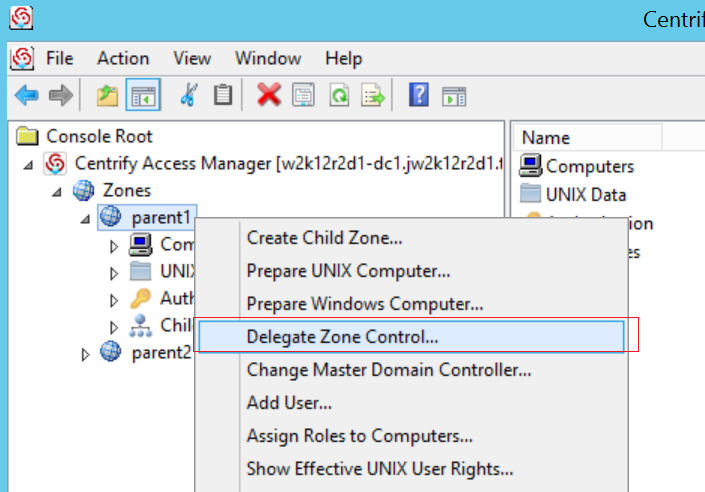
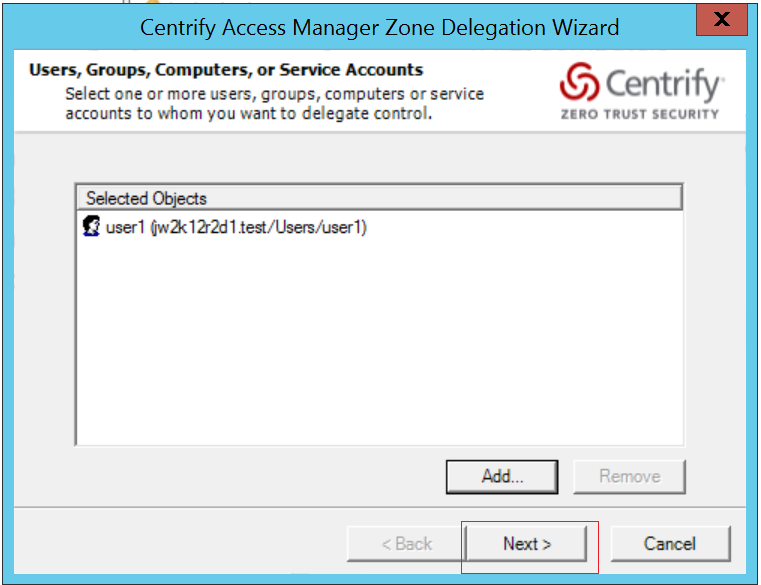
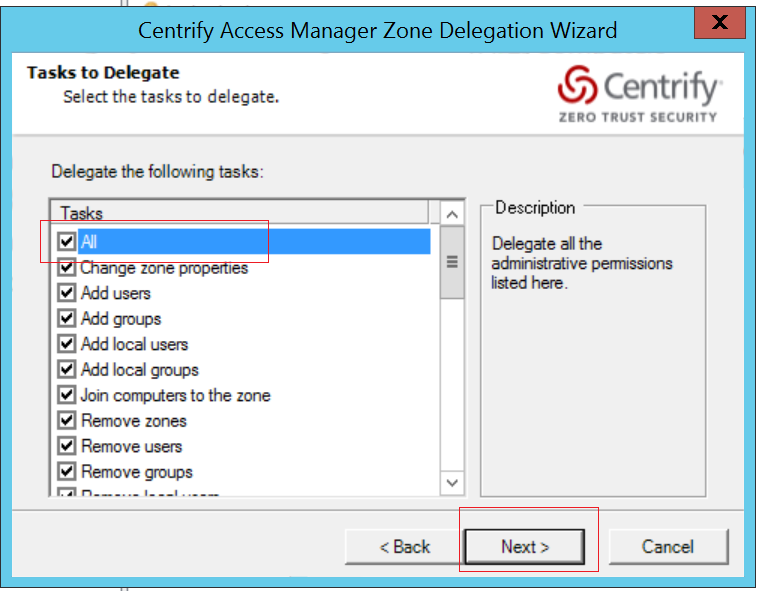
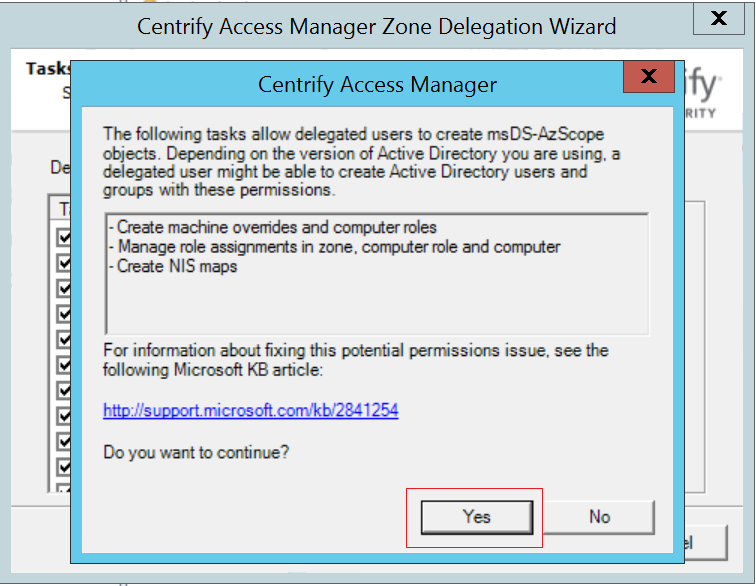
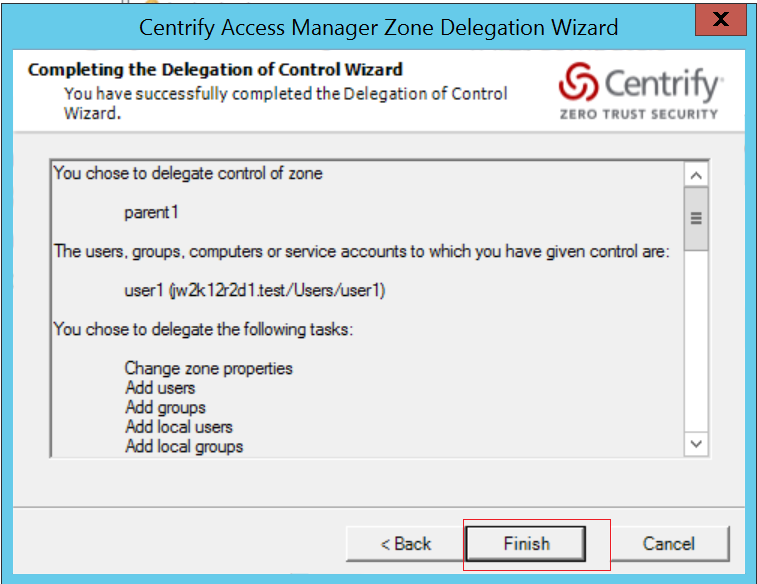
Delegate Zone Control to the user in the Centrify Management Console

  • Open Access Manager as Administrator
  • Right click “Centrify Access Manager > Zone > Global”
  • Select “Delegate Zone Control…”

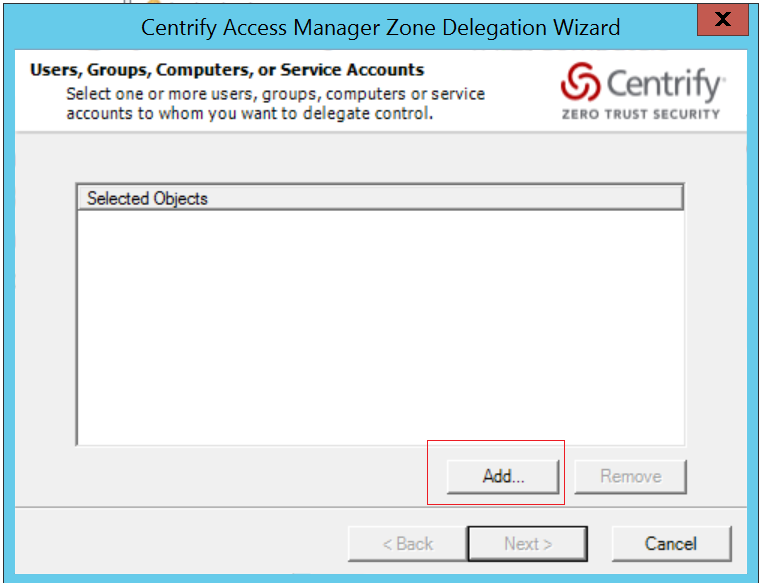
  • In the Dialog window, click “Add”

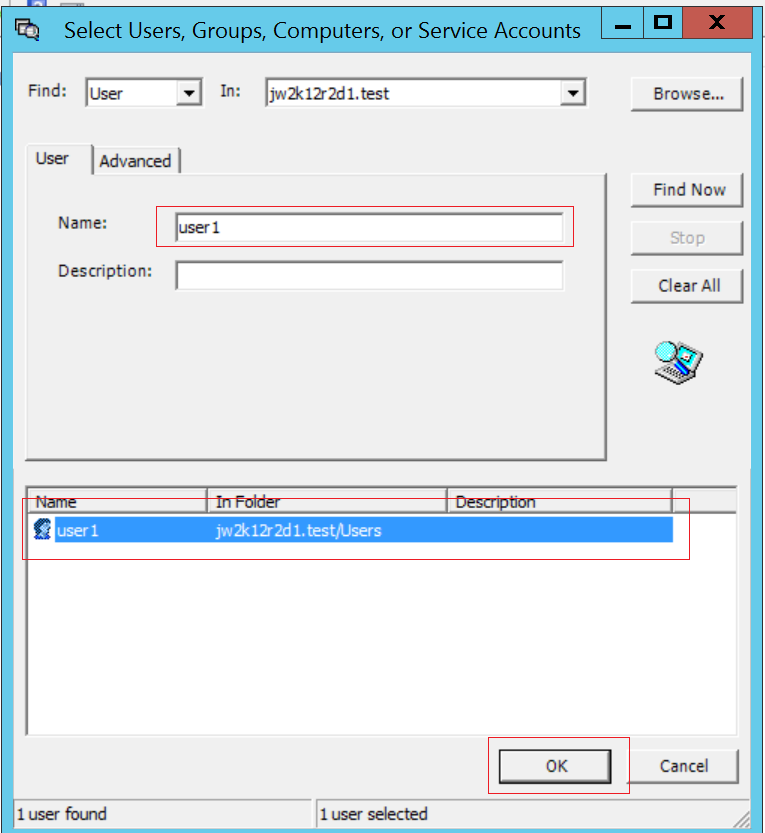
  • Input user name into “Name:” field and click “Find Now”
  • Select the User and click “OK”

  • Click “Next”

  • Click “All” in the Tasks list and click “Next”

  • Click “Yes”

  • Click “Finish”

How Mellanox ConnectX and BlueField Empower Cyber Security Solutions

News from Mellanox

  1. Mellanox Turns Zero-Trust to HERO-Trust
    A Mellanox blog discussing the zero-trust security model, and how Mellanox BlueField SmartNIC empowers zero-trust security solutions
  2. ConnectX & BlueField Empower Cloud Security SolutionsEye on Mellanox YouTube VideoA short video clip discussing how ConnectX & BlueField empower cloud security solutions
  3. Guardicore and Mellanox Deliver Agentless and High-Performance Micro-Segmentation in Hybrid Cloud
    Guardicore is a cyber security solution provider which offers a complete micro-segmentation solution for enforcing security policies in data-center networks. Micro-segmentation is considered a priority for CISO’s in 2019 and beyond. We have recently partnered with Guardicore to have their software run on top of BlueField, enabling agentless and high-performant micro-segmentation solution. The attached solution brief describes the key benefits of applying BlueField for micro-segmentation and key benefits of the joint solution.