The SPEChpc 2021 Benchmark suite

The full writeup can be found at REAL-WORLD HPC GETS THE BENCHMARK IT DESERVES

While nothing can beat the notoriety of the long-standing LINPACK benchmark, the metric by which supercomputer performance is gauged, there is ample room for a more practical measure. It might not garner the same mainstream headlines as the Top 500 list of the world’s largest systems, but a new benchmark may fill in the gaps between real-world versus theoretical peak compute performance.

The reason this new high performance computing (HPC) benchmark can come out of the gate with immediate legitimacy is because it is from the Standard Performance Evaluation Corporation (SPEC) organization, which has been delivering system benchmark suites since the late 1980s. And the reason it is big news today is because the time is right for a more functional, real-world measure, especially one that can adequately address the range of architectures and changes in HPC (from various accelerators to new steps toward mixed precision, for example).

…..
…..
…..

The SPEChpc 2021 suite includes a broad swath of science and engineering codes that are representative (and portable ) across much of what we see in HPC.

– A tested set of benchmarks with performance measurement and validation built into the test harness.
– Benchmarks include full and mini applications covering a wide range of scientific domains and Fortran/C/C++ programming languages.
– Comprehensive support for multiple programming models, including MPI, MPI+OpenACC, MPI+OpenMP, and MPI+OpenMP with target offload.
– Support for most major compilers, MPI libraries, and different flavors of Linux operating systems.
– Four suites, Tiny, Small, Medium, and Large, with increasing workload sizes, allows for appropriate evaluation of different-sized HPC systems, ranging from a single node to many thousands of nodes.

REAL-WORLD HPC GETS THE BENCHMARK IT DESERVES at The Next Platform

For more information, see https://www.spec.org/hpc2021/

AMD is set to launch new HPC Products on 8th November

The leading semiconductor manufacturer AMD’S Milan-X EPYC series processors could be expected at this conference. Judging from the latest news, this series of processors uses unique 3D V-cache technology (3D caches act as a rapid refresher, it uses a novel new hybrid bonding technique) even before the Vermeer-X consumer product line. The line is based on the Zen3 micro-architecture. We always put AMD vs. Intel in a clash to witness who is better but always ends up with neutral ideas; both AMD and Intel are relentlessly attempting to prove their side is in the better format. Whilst AMD is expected to launch its first machine based on (MCM) (Multi-Chip Module Design), even earlier than NVIDIA GH100 (Hopper) and Intel’s Ponte Vecchio (Xe-HPC).

AMD is set to launch new HPC products on November 8 at the “Accelerated Data Center Premier”

Changing License Server on ABAQUS Clients

If you are modifying your ABAQUS client to point to another license server, you can do the following.

For ABAQUS 2020 later

% vim /usr/SIMULIA/EstProducts/2020/linux_a64/SMA/site/custom_v6.env
.....
.....
abaquslm_license_file="27000@192.168.1.0"
.....
.....

For ABAQUS 2019 and earlier

% vim /var/DassaultSystemes/SimulationServices/V6R2019x/linux_a64/SMA/site/custom_v6.env

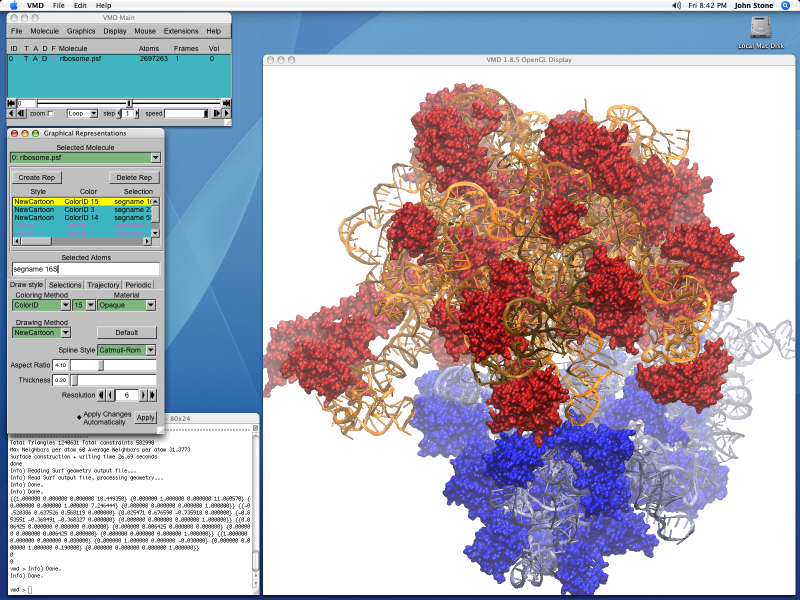
Installing VMD-1.9.3 binaries on Linux

Register and download the VMD from VMD Site

Step 1: Unpack the VMD tar-gz

% tar -zxvf vmd-1.9.3.bin.LINUXAMD64-CUDA8-OptiX4-OSPRay111p1.opengl.tar.gz

Step 2: Edit the configure.sh

% cd vmd-1.9.3
% ./configure 
./configure
using configure.options: LINUXAMD64 OPENGL OPENGLPBUFFER FLTK TK ACTC CUDA IMD LIBSBALL XINERAMA XINPUT LIBOPTIX LIBOSPRAY LIBTACHYON VRPN NETCDF COLVARS TCL PYTHON PTHREADS NUMPY SILENT ICC
% vim configure 

Between Line 15-19, you may want to edit the path and

# Directory where VMD startup script is installed, should be in users' paths.
$install_bin_dir="/usr/local/vmd-1.9.3/bin";

# Directory where VMD files and executables are installed
$install_library_dir="/usr/local/vmd-1.9.3/lib/$install_name";

Configure and Compile

% ./configure LINUXAMD64
% cd src
% make install

If you are encountering issues like make: *** No rule to make target y.tab.h', needed byvmd_LINUXAMD64′. Stop, try and see whether you have permission issues on the

Compiling GNU Parallel on CentOS-7

GNU parallel is a shell tool for executing jobs in parallel using one or more computers. A job can be a single command or a small script that has to be run for each of the lines in the input. The typical input is a list of files, a list of hosts, a list of users, a list of URLs, or a list of tables. A job can also be a command that reads from a pipe. GNU parallel can then split the input and pipe it into commands in parallel.

To Download, the got to the website https://mirror.freedif.org/GNU/parallel/

% tar -xvf parallel-latest.tar.bz2 
% ./configure --prefix=/usr/local/gnu/parallel 
% make 
% make install

There are some Youtube Resources on GNU Parallel which could be useful if you wish to learn how to use GNU Parallel

References:

  1. GNU Parallel

Intel® Edge AI Certification

Intel® Edge AI Certification training courses can be started and completed at no charge. To get officially certified and receive a badge, you must complete the assessment and review process, which costs $99 for one year. Follow up with an annual recertification course to update your skills and credentials.

Certification training includes:

  • Hands-on experience with edge AI tools and platforms, including the Intel® Distribution of OpenVINO™ toolkit and Intel® DevCloud for the Edge
  • Use cases that detect safety gear, prevent retail losses, identify manufacturing defects, and solve other real-world problems with the combined application of computer vision deep-learning inference.
  • Development of your own edge AI solutions portfolio, drawing on libraries and APIs for TensorFlow*, PyTorch*, Open Neural Network Exchange (ONNX*), and other public models, running on your choice of Intel® DevCloud for the Edge hardware clusters.

For more information and to Sign up….. Click Here

Compiling g2o with Eigen-3.3.9 with GNU-6.5

g2o is an open-source C++ framework for optimizing graph-based nonlinear error functions. g2o has been designed to be easily extensible to a wide range of problems and a new problem typically can be specified in a few lines of code. The current implementation provides solutions to several variants of SLAM and BA.

A wide range of problems in robotics as well as in computer-vision involve the minimization of a non-linear error function that can be represented as a graph. Typical instances are simultaneous localization and mapping (SLAM) or bundle adjustment (BA). The overall goal in these problems is to find the configuration of parameters or state variables that maximally explain a set of measurements affected by Gaussian noise. g2o is an open-source C++ framework for such nonlinear least squares problems. g2o has been designed to be easily extensible to a wide range of problems and a new problem typically can be specified in a few lines of code. The current implementation provides solutions to several variants of SLAM and BA.

https://github.com/RainerKuemmerle/g2o

What I used:

  • gnu-6.5
  • m4-1.4.18
  • gmp-6.1.0
  • mpfr-3.1.4
  • mpc-1.0.3
  • isl-0.18
  • gsl-2.1
  • cmake-3.21.3
% git clone https://github.com/RainerKuemmerle/g2o
% cd g2o
% mkdir build
% cd build

Sometimes, cmake does not capture your export value. The best is to force the c and cxx compilers directly by stating their path.

% cmake .. -DEIGEN3_INCLUDE_DIR=/usr/local/eigen-3.3.9/build/include/eigen3 -DCMAKE_INSTALL_PREFIX=/usr/local/g2o/ -DCHOLMOD_INCLUDE_DIR=/usr/lib64/ -DCMAKE_C_COMPILER=/usr/local/gcc-6.5.0/bin/gcc -DCMAKE_CXX_COMPILER=/usr/local/gcc-6.5.0/bin/g++
% make -j 4
% make all

References:

Checking Disk Usage within the subfolders but avoid mount-point

If you need to check Usage, but you wish to avoid the mount-point, you can use the command

[root@hpc-hn /]# du -h -x -d 1
48M     ./etc
552M    ./root
11G     ./var
1.1G    ./tmp
11G     ./usr
0       ./media
0       ./mnt
4.8G    ./opt
0       ./srv
0       ./install
0       ./log
0       ./misc
0       ./net
0       ./server_priv
0       ./ProjectSpace
0       ./media1
0       ./media2
28G     .
  • -h refers to human-readable
  • -d refers to depth level. By default, it is 0 which is the same as summarize
  • -x skip directories on different file systems

Gromacs-2020.6 and Plumed-2.7.2 with Intel-2019

Install Plumed-2.7.2

Plumed-2.7.2 can be installed in a similar fashion as Compiling plumed-2.6.4 with Intel 2019

Download and unpack Gromacs-2020.6

% wget https://ftp.gromacs.org/gromacs/gromacs-2020.6.tar.gz
% tar -zxvf gromacs-2020.6.tar.gz
% cd gromacs-2020.6

Plumed Gromacs-2020.6

% plumed patch -p
PLUMED patching tool

1) gromacs-2019.6   4) gromacs-4.5.7    7) namd-2.14
2) gromacs-2020.6   5) namd-2.12        8) qespresso-5.0.2
3) gromacs-2021     6) namd-2.13        9) qespresso-6.2
Choose the best matching code/version:2

Compile Gromacs as according to Compiling Gromacs-2019.3 with Intel 2018 MKL and AVX-512

References:

  1. Compiling plumed-2.6.4 with Intel 2019
  2. Compiling Gromacs-2019.3 with Intel 2018 MKL and AVX-512
  3. Install Gromacs-2016.3 and Plumed-2.3.3