Creating Virtual Environment with Python using venv

Virtual Environment and Packages

Sometimes there is a need to create virtual environment, a self-contained directory tree that contains a Python installation for a particular version of Python, plus a number of additional packages as there is sometimes a need for specific version of python library. Here come venv

Creating Virtual Environments

% module load python/3/intel/2020
% python3 -m venv myenv

This will create a myenv directory if it doesn’t exist, and also create directories inside it containing a copy of the Python interpreter, the standard library, and various supporting files.

% source myenv/bin/activate

Activating the virtual environment will change your shell’s prompt to show what virtual environment you’re using,

(tutorial-env) [user1@hpc-node1 bin]$ python
Python 3.7.4 (default, Nov 22 2019, 21:31:39)
[GCC 7.3.0] :: Intel(R) Corporation on linux
Type "help", "copyright", "credits" or "license" for more information.
Intel(R) Distribution for Python is brought to you by Intel Corporation.
Please check out: https://software.intel.com/en-us/python-distibution
>>> import sys
>>> sys.path
['', '/usr/local/intelpython3/lib/python37.zip', ....., '.....', '/myhome/melvin/python_project/tutorial-env/lib/python3.7/site-packages']
>>>

Managing Packages with pip

You can install, upgrade and remove using a program called pip. By default, pip will install packages from the Python Package Index (http://pypi.org).

You can install the latest version of a package by specifying a package’s name:

(tutorial-env) [user1@hpc-node1 bin]$ python -m pip install novas
Collecting novas
  Downloading https://files.pythonhosted.org/packages/42/95/a05bc35cb119925e10f9faa8a2bd17020b0a585744a38921a709acdd9a14/novas-3.1.1.5.tar.gz (135kB)
    100% |████████████████████████████████| 143kB 4.6MB/s
Installing collected packages: novas
  Running setup.py install for novas ... done
Successfully installed novas-3.1.1.5

You can also install specific version by using the command

(tutorial-env) [user1@hpc-node1 bin]$ python -m pip install requests==2.6.0
Collecting requests==2.6.0
  Downloading https://files.pythonhosted.org/packages/73/63/b0729be549494a3e31316437053bc4e0a8bb71a07a6ee6059434b8f1cd5f/requests-2.6.0-py2.py3-none-any.whl (469kB)
    100% |████████████████████████████████| 471kB 4.3MB/s
Installing collected packages: requests
Successfully installed requests-2.6.0

You can also upgrade the package by using the command

(tutorial-env) [user1@hpc-node1 bin]$ python -m pip install --upgrade request    s
Collecting requests
  Downloading https://files.pythonhosted.org/packages/29/c1/24814557f1d22c56d50    280771a17307e6bf87b70727d975fd6b2ce6b014a/requests-2.25.1-py2.py3-none-any.whl     (61kB)
    100% |████████████████████████████████| 61kB 3.4MB/s
Collecting chardet<5,>=3.0.2 (from requests)
  Downloading https://files.pythonhosted.org/packages/19/c7/fa589626997dd07bd87    d9269342ccb74b1720384a4d739a1872bd84fbe68/chardet-4.0.0-py2.py3-none-any.whl (1    78kB)
    100% |████████████████████████████████| 184kB 5.3MB/s
Collecting urllib3<1.27,>=1.21.1 (from requests)
  Downloading https://files.pythonhosted.org/packages/0c/cd/1e2ec680ec7b09846dc    6e605f5a7709dfb9d7128e51a026e7154e18a234e/urllib3-1.26.5-py2.py3-none-any.whl (    138kB)
    100% |████████████████████████████████| 143kB 5.9MB/s
Collecting idna<3,>=2.5 (from requests)
  Downloading https://files.pythonhosted.org/packages/a2/38/928ddce2273eaa564f6    f50de919327bf3a00f091b5baba8dfa9460f3a8a8/idna-2.10-py2.py3-none-any.whl (58kB)
    100% |████████████████████████████████| 61kB 4.3MB/s
Collecting certifi>=2017.4.17 (from requests)
  Downloading https://files.pythonhosted.org/packages/05/1b/0a0dece0e8aa492a6ec    9e4ad2fe366b511558cdc73fd3abc82ba7348e875/certifi-2021.5.30-py2.py3-none-any.wh    l (145kB)
    100% |████████████████████████████████| 153kB 5.1MB/s
Installing collected packages: chardet, urllib3, idna, certifi, requests
  Found existing installation: requests 2.6.0
    Uninstalling requests-2.6.0:
      Successfully uninstalled requests-2.6.0
Successfully installed certifi-2021.5.30 chardet-4.0.0 idna-2.10 requests-2.25.    1 urllib3-1.26.5

You can display all the packages in the environment in virtual environment

(tutorial-env) [user1@hpc-node1 bin]$ pip list
Package    Version
---------- ---------
certifi    2021.5.30
chardet    4.0.0
idna       2.10
novas      3.1.1.5
pip        19.0.3
requests   2.25.1
setuptools 40.8.0
urllib3    1.26.5

pip freeze can be used to produce a similar list of installed packages and formatted in a output file that pip install can read from

(tutorial-env) [user1@hpc-node1 bin]$ pip freeze > requirements.txt
(tutorial-env) [user1@hpc-node1 bin]$ cat requirements.txt
certifi==2021.5.30
chardet==4.0.0
idna==2.10
novas==3.1.1.5
requests==2.25.1
urllib3==1.26.5

Install all the necessary packages with install -r from requirements.txt

(tutorial-env) [user1@hpc-node1 bin]$ python -m pip install -r requirements.txt
Requirement already satisfied: certifi==2021.5.30 in /myhome/melvin/python_project/tutorial-env/lib/python3.7/site-packages (from -r requirements.txt (line 1)) (2021.5.30)
Requirement already satisfied: chardet==4.0.0 in /myhome/melvin/python_project/tutorial-env/lib/python3.7/site-packages (from -r requirements.txt (line 2)) (4.0.0)
Requirement already satisfied: idna==2.10 in /myhome/melvin/python_project/tutorial-env/lib/python3.7/site-packages (from -r requirements.txt (line 3)) (2.10)
Requirement already satisfied: novas==3.1.1.5 in /myhome/melvin/python_project/tutorial-env/lib/python3.7/site-packages (from -r requirements.txt (line 4)) (3.1.1.5)
Requirement already satisfied: requests==2.25.1 in /myhome/melvin/python_project/tutorial-env/lib/python3.7/site-packages (from -r requirements.txt (line 5)) (2.25.1)
Requirement already satisfied: urllib3==1.26.5 in /myhome/melvin/python_project/tutorial-env/lib/python3.7/site-packages (from -r requirements.txt (line 6)) (1.26.5)

References:

Job Scheduling on NCAR’s Next-generation Supercomputer – Altair

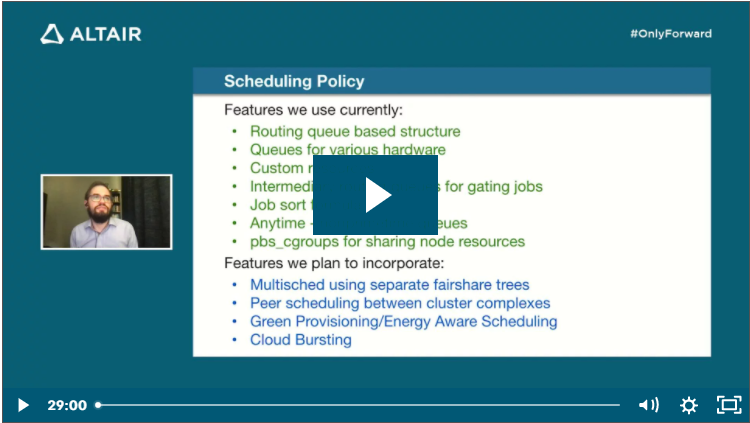
For workload management and resource scheduling, NCAR uses Altair PBS Professional to exploit features like cloud bursting, fairshare, power-user and maintenance reservations, resource assignment with control groups, high-throughput hierarchical scheduling, green provisioning, and energy-aware scheduling.

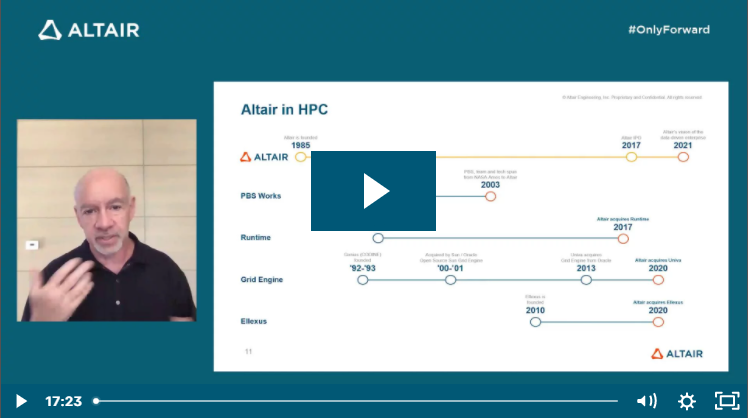
This presentation by Irfan Elahi, Brian Vanderwende, and John Blaas from the National Center for Atmospheric Research (NCAR) was aired during the 2021 Altair HPC Summit

The Link is Job Scheduling on NCAR’s Next-generation Supercomputer

Intel MPI Library Over Libfabric*

Taken from Intel Performance Libraries, Intel® MPI Library Over Libfabric*

What is Libfabric?

Libfabric is a low-level communication abstraction for high-performance networks. It hides most transport and hardware implementation details from middleware and applications to provide high-performance portability between diverse fabrics.

Using the Intel MPI Library Distribution of Libfabric

By default, mpivars.sh sets the environment to the version of libfabric shipped with the Intel MPI Library. To disable this, use the I_MPI_OFI_LIBRARY_INTERNAL environment variable or -ofi_internal (by default ofi_internal=1)

# source /usr/local/intel/2018u3/impi/2018.3.222/bin64/mpivars.sh -ofi_internal=1
# I_MPI_DEBUG=4 mpirun -n 1 IMB-MPI1 barrier
[0] MPI startup(): libfabric version: 1.7.2a-impi
[0] MPI startup(): libfabric provider: verbs;ofi_rxm
[0] MPI startup(): Rank    Pid      Node name   Pin cpu
[0] MPI startup(): 0       130358   hpc-n1  {0,1,2,3,4,5,6,7,8,9,10,11,12,13,14,15,16,17,18,19,20,21,22,23,24,25,26,27,28,29,
                                  30,31}
#------------------------------------------------------------
#    Intel(R) MPI Benchmarks 2019 Update 4, MPI-1 part
#------------------------------------------------------------
# Date                  : Thu May 20 12:57:03 2021
# Machine               : x86_64
# System                : Linux
# Release               : 3.10.0-693.el7.x86_64
# Version               : #1 SMP Tue Aug 22 21:09:27 UTC 2017
# MPI Version           : 3.1
# MPI Thread Environment:


# Calling sequence was:

# IMB-MPI1 barrier

# Minimum message length in bytes:   0
# Maximum message length in bytes:   4194304
#
# MPI_Datatype                   :   MPI_BYTE
# MPI_Datatype for reductions    :   MPI_FLOAT
# MPI_Op                         :   MPI_SUM
#
#

# List of Benchmarks to run:

# Barrier

#---------------------------------------------------
# Benchmarking Barrier
# #processes = 1
#---------------------------------------------------
 #repetitions  t_min[usec]  t_max[usec]  t_avg[usec]
         1000         0.08         0.08         0.08


# All processes entering MPI_Finalize

Changing the -ofi_internal=0

# source /usr/local/intel/2018u3/impi/2018.3.222/bin64/mpivars.sh -ofi_internal=0
# I_MPI_DEBUG=4 mpirun -n 1 IMB-MPI1 barrier
[0] MPI startup(): libfabric version: 1.1.0-impi
[0] MPI startup(): libfabric provider: mlx
.....
.....

Common OFI Controls

To select the OFI provider from the libfabric library, you can use definte the name of the OFI Provider to load

export I_MPI_OFI_PROVIDER=tcp

Logging Interfaces

FI_LOG_LEVEL=<level> controls the amount of logging data that is output. The following log levels are defined:

  • Warn: Warn is the least verbose setting and is intended for reporting errors or warnings.
  • Trace: Trace is more verbose and is meant to include non-detailed output helpful for tracing program execution.
  • Info: Info is high traffic and meant for detailed output.
  • Debug: Debug is high traffic and is likely to impact application performance. Debug output is only available if the library has been compiled with debugging enabled.

References:

  1. Intel® MPI Library Over Libfabric*
  2. New MPI error with Intel 2019.1, unable to run MPI hello world

RELION – Performance Benchmark and Profiling

What is RELION?

RELION (REgularized LIkelihood OptimizatioN) is an open-source program for the refinement of macromolecular structures by single-particle analysis of electron cryomicroscopy (cryo-EM) data

RELION (REgularized LIkelihood OptimizatioN) implements an empirical Bayesian approach for analysis of electron cryo-microscopy (Cryo-EM)

RELION provides refinement methods of singular or multiple 3D reconstructions as well as 2D class averages

RELION is an important tool in the study of living cells

HPC-AI Advisory Council

Performance Analysis Summary

(from Article See RELION – Performance Benchmark and Profiling)

RELION performance testing

  • Pool size 4,8,16 gave best performance on 16,24,32 nodes
  • SHARP In-Network Computing reduces MPI time by 13% and increase overall application performance by 5
  • Performance advantages increases with system size, up to 32 nodes were tested

RELION Profile

  • Rank #0 does not perform computation
  • Mostly MPI_Barrier (70%)
  • Ring communication matrix

References: