
Installing Julia-1.8.4 and ITensor

If you are using Julia Programming Language and installing Julia-1.8.4, you may want to take a look at a useful guide Installing Julia and ITensor

$ wget https://julialang-s3.julialang.org/bin/linux/x64/1.8/julia-1.8.4-linux-x86_64.tar.gz
$ tar -zxvf julia-1.8.4-linux-x86_64.tar.gz
$ cd julia-1.8.4/bin
$ ./julia
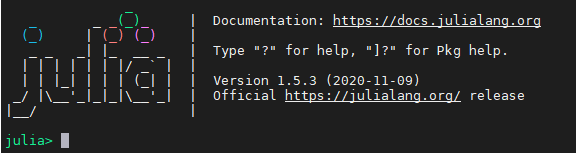
  _       _ _(_)_     |  Documentation: https://docs.julialang.org
  (_)     | (_) (_)    |
   _ _   _| |_  __ _   |  Type "?" for help, "]?" for Pkg help.
  | | | | | | |/ _` |  |
  | | |_| | | | (_| |  |  Version 1.8.4 (2022-12-23)
 _/ |\__'_|_|_|\__'_|  |  Official https://julialang.org/ release
|__/                   |

Adding ITensors to Julia

julia> ]
(@v1.8) pkg>
(@v1.8) pkg> add ITensors

Going back to Julia Prompt

julia> using ITensors;
julia> ITensors.compile()
The directory "/home/user1/.julia/sysimages" doesn't exist yet, creating it now.

Creating the system image "/home/user1/.julia/sysimages/sys_itensors.so" containing the compiled version of ITensors. This may take a few minutes.
[ Info: PackageCompiler: Executing /home/user1/.julia/packages/ITensors/fpBnt/src/packagecompile/precompile_itensors.jl => /tmp/jl_packagecompiler_39UDnM/jl_Ob4eph
After sweep 1 energy=-7.313531193678388  maxlinkdim=10 maxerr=9.32E-05 time=22.605
After sweep 2 energy=-7.365742085591064  maxlinkdim=10 maxerr=8.87E-04 time=0.008
After sweep 3 energy=-7.3661068404588725  maxlinkdim=10 maxerr=9.21E-04 time=0.007
After sweep 1 energy=-7.337730647281005  maxlinkdim=10 maxerr=1.75E-04 time=11.838
After sweep 2 energy=-7.366041088098082  maxlinkdim=10 maxerr=9.31E-04 time=0.031
After sweep 3 energy=-7.366112132349537  maxlinkdim=10 maxerr=9.23E-04 time=0.030

[ Info: PackageCompiler: Done
✔ [06m:15s] PackageCompiler: compiling incremental system image
You will be able to start Julia with a compiled version of ITensors using:

```
~ julia --sysimage /home/user1/.julia/sysimages/sys_itensors.so
```

and you should see that the startup times and JIT compilation times are substantially improved when you are using ITensors.

In unix, you can create an alias with the Bash command:

```
~ alias julia_itensors="julia --sysimage /home/user1/.julia/sysimages/sys_itensors.so -e 'using ITensors' -i"
```

which you can put in your `~/.bashrc`, `~/.zshrc`, etc. This also executes
`using ITensors` so that ITensors is loaded and ready to use, you can leave off `
-e 'using ITensors' -i` if you don't want that. Then you can start Julia with a
version of ITensors installed with the command:

```
~ julia_itensors
```

Note that if you update ITensors to a new version, for example with `using
Pkg; Pkg.update("ITensors")`, you will need to run the `ITensors.compile()`
command again to recompile the new version of ITensors.

"/home/user1/.julia/sysimages/sys_itensors.so"
Running Parallel Run with Julia-1.5.3

If you are having Errors like the one below. I was trying to use Intel-MPI and MPIEXECJL and I was having this error. I realised that I was getting a bit mixed up on using Intel MPI mpiexec and using mpiexecjl. In the first instance, we use “mpiexecjl”

In my subscription script, we have

....
....
export CC=`which mpicc`
export FC=`which mpif90`
julia --project -e 'ENV["JULIA_MPI_PATH"]="/usr/local/intel/2018u3/impi/2018.3.222/intel64/bin"; using Pkg; Pkg.build("MPI"; verbose=true)'

mpiexecjl -n 16 julia --project HelloWorld.jl
....
....

During the run, we have the following logs……

....
....
+ julia --project -e 'ENV["JULIA_MPI_PATH"]="/usr/local/intel/2018u3/impi/2018.3.222/intel64/bin"; using Pkg; Pkg.build("MPI"; verbose=true)'
[ Info: using system MPI
┌ Info: Using implementation
│ libmpi = "libmpi"
│ mpiexec_cmd = `/usr/local/intel/2018u3/impi/2018.3.222/intel64/bin/bin/mpiexec`
└ MPI_LIBRARY_VERSION_STRING = "Intel(R) MPI Library 2018 Update 3 for Linux* OS\n"
┌ Info: MPI implementation detected
│ impl = IntelMPI::MPIImpl = 4
│ version = v"2018.3.0"
└ abi = "MPICH"
Building MPI → `~/.julia/packages/MPI/b7MVG/deps/build.log`
+ date
+ mpiexecjl -n 16 julia --project HelloWorld.jl
ERROR: IOError: could not spawn `/usr/local/intel/2018u3/impi/2018.3.222/intel64/bin/bin/mpiexec -n 16 julia HelloWorld.jl`: no such file or directory (ENOENT)
....
....

Just directly using the mpiexec will solve the issue.

mpiexec -n 16 julia --project HelloWorld.jl

If you use mpiexec and yet face issues like. It may not be exactly the issue with mpiexec, but issues with missing Package (as in my case)

[mpiexec@node1] match_arg (../../utils/args/args.c:254): unrecognized argument project
[mpiexec@node1] HYDU_parse_array (../../utils/args/args.c:269): argument matching returned error
[mpiexec@node1] parse_args (../../ui/mpich/utils.c:4770): error parsing input array
[mpiexec@node1] HYD_uii_mpx_get_parameters (../../ui/mpich/utils.c:5106): unable to parse user arguments

To add Packages, get into Julia. For example,

julia > using Pkg
julia > Pkg.add("SharedArrays")

Compiling MPI.jl with Intel MPI

MPI.jl provides Julia interface to the Message Passing Interface (MPI).

Step 1: Download the MPI.jl

% git clone https://github.com/JuliaParallel/MPI.jl.git

Step 2: Update .bashrc and remember to source your .bashrc again

export CC=`which mpicc`
export FC=`which mpif90`

Step 3: Building MPI.jl

I’m using Intel MPI compiled at /usr/local/ . My Build is something like that

% julia --project -e 'ENV["JULIA_MPI_PATH"]="/usr/local/intel/2018u3/impi/2018.3.222/bin64"; using Pkg; Pkg.build("MPI"; verbose=true)'
Installing known registries into `~/.julia`
######################################################################## 100.0%
Added registry `General` to `~/.julia/registries/General`
Updating registry at `~/.julia/registries/General`
Installed Artifacts ──────────────────── v1.3.0
Installed MPICH_jll ──────────────────── v3.3.2+10
Installed OpenMPI_jll ────────────────── v4.0.2+2
Installed MicrosoftMPI_jll ───────────── v10.1.3+0
Installed CompilerSupportLibraries_jll ─ v0.3.4+0
Installed Requires ───────────────────── v1.1.2
Installed DocStringExtensions ────────── v0.8.3
Installed JLLWrappers ────────────────── v1.2.0
Downloading artifact: MPICH
Downloading artifact: OpenMPI
Downloading artifact: CompilerSupportLibraries
Updating `~/Downloads/MPI.jl/Project.toml`
[ffbed154] + DocStringExtensions v0.8.3
[7cb0a576] + MPICH_jll v3.3.2+10
[9237b28f] + MicrosoftMPI_jll v10.1.3+0
[fe0851c0] + OpenMPI_jll v4.0.2+2
[ae029012] + Requires v1.1.2
Updating `~/Downloads/MPI.jl/Manifest.toml`
[56f22d72] + Artifacts v1.3.0
[e66e0078] + CompilerSupportLibraries_jll v0.3.4+0
[ffbed154] + DocStringExtensions v0.8.3
[692b3bcd] + JLLWrappers v1.2.0
[7cb0a576] + MPICH_jll v3.3.2+10
[9237b28f] + MicrosoftMPI_jll v10.1.3+0
[fe0851c0] + OpenMPI_jll v4.0.2+2
[ae029012] + Requires v1.1.2
[2a0f44e3] + Base64
[ade2ca70] + Dates
[8ba89e20] + Distributed
[b77e0a4c] + InteractiveUtils
[76f85450] + LibGit2
[8f399da3] + Libdl
[56ddb016] + Logging
[d6f4376e] + Markdown
[44cfe95a] + Pkg
[de0858da] + Printf
[3fa0cd96] + REPL
[9a3f8284] + Random
[ea8e919c] + SHA
[9e88b42a] + Serialization
[6462fe0b] + Sockets
[8dfed614] + Test
[cf7118a7] + UUIDs
[4ec0a83e] + Unicode
Building MPI → `~/Downloads/MPI.jl/deps/build.log`
[ Info: using system MPI
┌ Info: Using implementation
│ libmpi = "libmpi"
│ mpiexec_cmd = `/usr/local/intel/2018u3/impi/2018.3.222/bin64/bin/mpiexec`
└ MPI_LIBRARY_VERSION_STRING = "Intel(R) MPI Library 2018 Update 3 for Linux* OS\n"
┌ Info: MPI implementation detected
│ impl = IntelMPI::MPIImpl = 4
│ version = v"2018.3.0"
└ abi = "MPICH"

Step 4: Verify that the binary “mpiexecjl” in the bin directory

Step 5: Usages

% mpiexecjl -n 20 julia script.jl

(mpiexecjl has the same syntax as the mpiexec binary that will be called, but it takes in addition a –project option to call the specific binary associated to the MPI.jl version in the given project. If no –project flag is used, the MPI.jl in the global Julia environment will be used instead.)

References:

  1. [solved] Can’t install MPI.jl in julia 1.0.1/0.7.0 on a CENTOS 7.4

Installing Julia Programming Language on CentOS 7

Julia is a high-level, high-performance dynamic language for technical computing. The main homepage for Julia can be found at julialang.org.

Step 1: The latest Julia Programming language binary can be found at downloaded at

% wget https://julialang-s3.julialang.org/bin/linux/x64/1.5/julia-1.5.3-linux-x86_64.tar.gz

Step 2: Extract the Julia Tar GZ

% tar -zxvf julia-1.5.3-linux-x86_64.tar.gz

Step 3: Move the unpacked folder to /usr/local

% mv julia-1.5.3 /usr/local

Try Julia